DIÁTAXIS DOCUMENTATION WORKFLOW

Turn an open-ended brief into
clear, usable technical documentation.

Align the document type, audience, reader goal, and scope first. Review the outline before the full draft is written. The result is focused, consistent, and ready to use in Markdown.

03documentation patterns
02language editions
01human approval gate
STRUCTURE PREVIEW
Create a To-Do List with Markdown — Requirements & outline
FROM BRIEF TO DELIVERABLE

More than “write this for me.”
Define the problem before drafting the answer.

BEFORE

Traditional drafting starts with a blank page

Document type, reader level, intended outcome, and content boundaries are often reconciled manually—with structural problems surfacing only after writing has begun.

  • Draft first, restructure later
  • Audience and scope can drift
  • Misalignment appears during review
ORIGINAL REQUESTUNSTRUCTURED BRIEF
PROMPT

Please use documentation-writer to create a beginner tutorial titled “Create a To-Do List with Markdown.” The reader has no prior Markdown experience. The goal is to help them create a to-do list containing three items. Keep it under 500 words and provide an outline first.
Mode to defineStructure to planOutput to review
AFTER

A complete tutorial built from an approved outline

The reader’s goal drives the structure. Only the steps, examples, and checks needed to complete the task remain.

Create a To-Do List with Markdown
CORE CAPABILITIES

Documentation quality starts with the right mode and clear boundaries.

01

Document-mode selection

Separate learning-oriented tutorials, task-focused how-to guides, and understanding-oriented explanations.

02

Audience and goal alignment

Define who will read the document and what they should accomplish before choosing tone, depth, and terminology.

03

Scope control

State what is included and excluded so the document stays focused instead of expanding into adjacent topics.

04

Outline approval gate

Review the structure before full drafting, then generate the Markdown document from an agreed direction.

HOW IT WORKS

Four steps from a writing request to a complete document.

01

Choose the document mode

Identify whether the reader needs a lesson, a task recipe, or an explanation.

02

Set audience and outcome

Confirm the reader’s starting point, intended result, and explicit exclusions.

03

Review the outline

Inspect the proposed structure and coverage before the full document is drafted.

04

Generate the document

Produce clear, consistent Markdown using the approved structure.

USE CASES

One disciplined workflow for different reading intents.

01

Tutorials

Lead a beginner through a first successful outcome while they learn by doing.

02

How-to guides

Provide concise steps, checks, and verification for a defined task.

03

Explanations

Clarify the reasons, purpose, and boundaries behind a concept.

REAL OUTPUTS

From prompt to structure to a document ready to use.

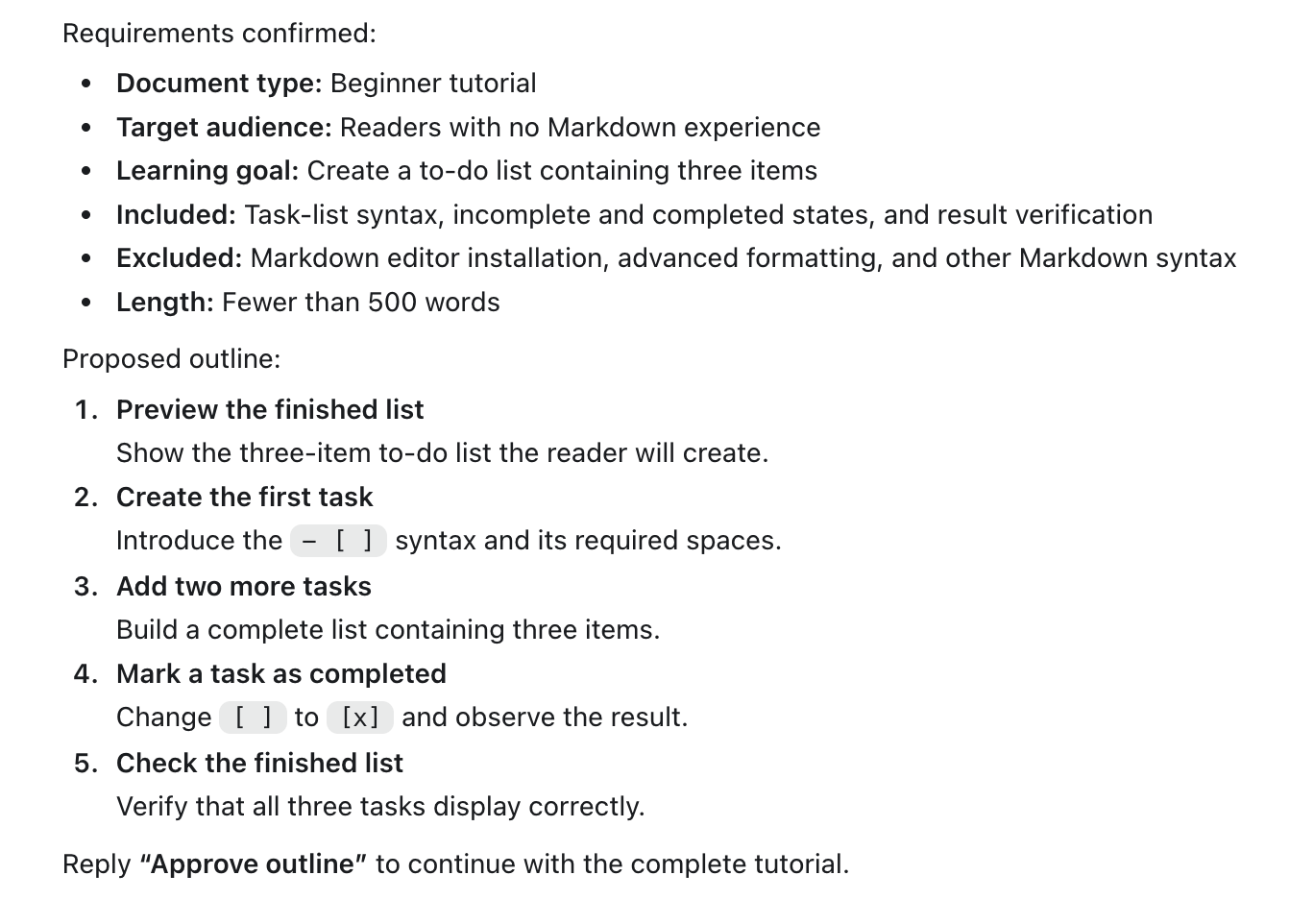
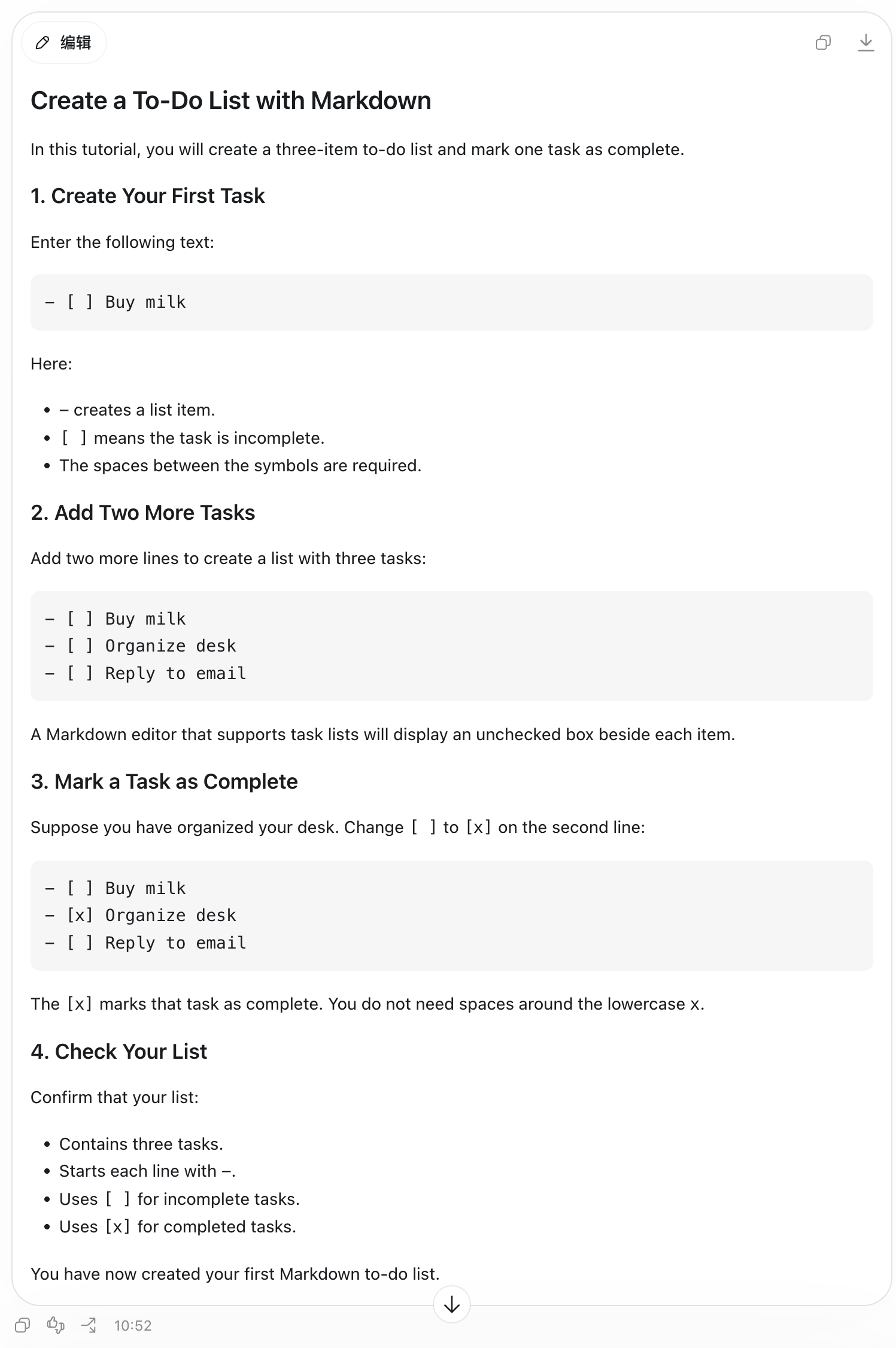
Tutorial

Create a To-Do List with Markdown

Guides a first-time reader toward one concrete outcome, then closes the learning loop with a simple result check.

ORIGINAL PROMPT

Please use `documentation-writer` to create a beginner tutorial titled “Create a To-Do List with Markdown.” The reader has no prior Markdown experience. The goal is to help them create a to-do list containing three items. Keep it under 500 words and provide an outline first.
Create a To-Do List with Markdown — Requirements & outline Create a To-Do List with Markdown — Complete document
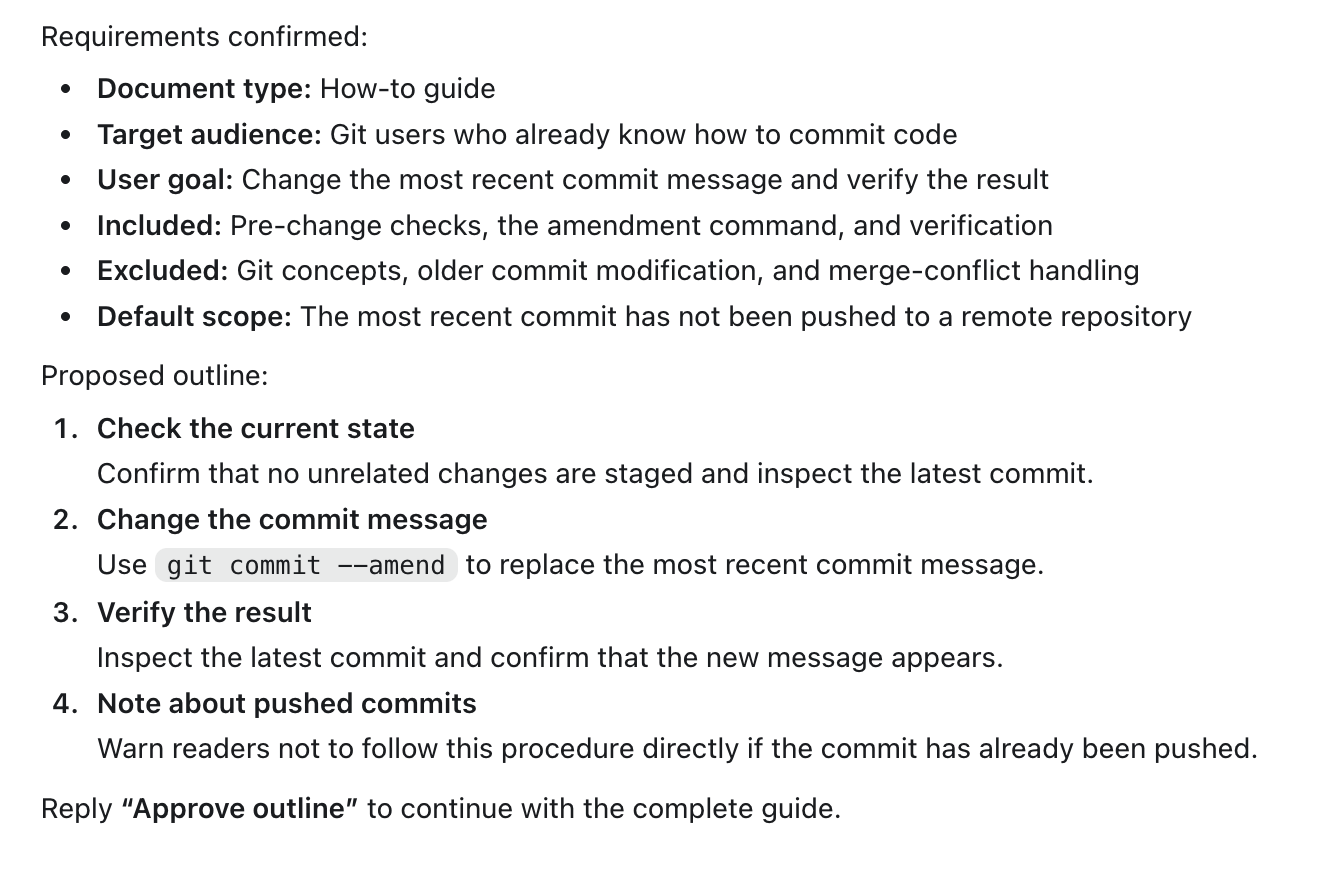
How-to guide

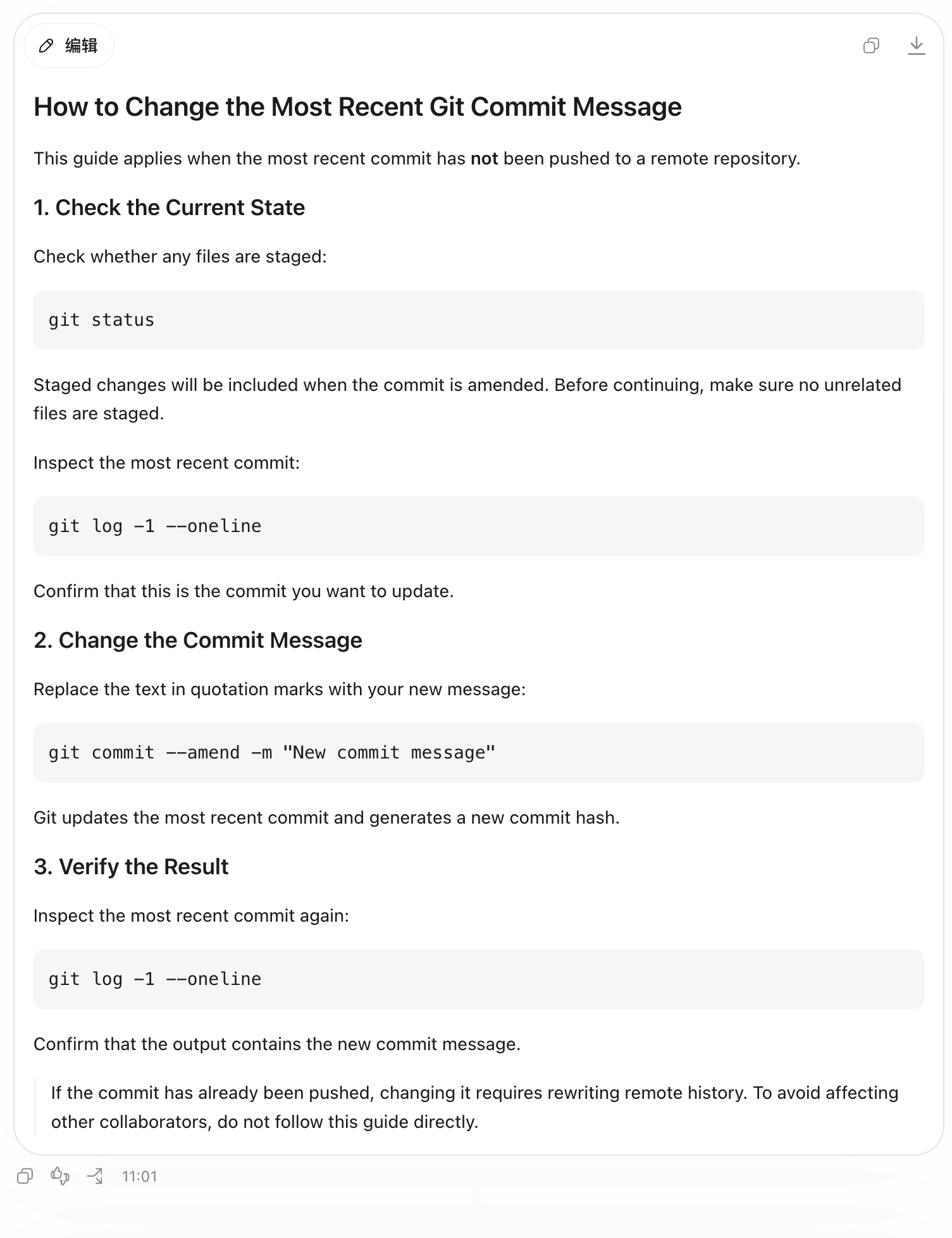
Change the Most Recent Git Commit Message

Solves one defined task with pre-change checks, an exact command, and a verification step—without drifting into unrelated theory.

ORIGINAL PROMPT

Please use `documentation-writer` to write a short how-to guide titled “How to Change the Most Recent Git Commit Message.” The reader already knows how to commit code and only needs clear steps and a verification method. Do not explain Git concepts. Please provide an outline first.

Change the Most Recent Git Commit Message — Requirements & outline Change the Most Recent Git Commit Message — Complete document
Explanation

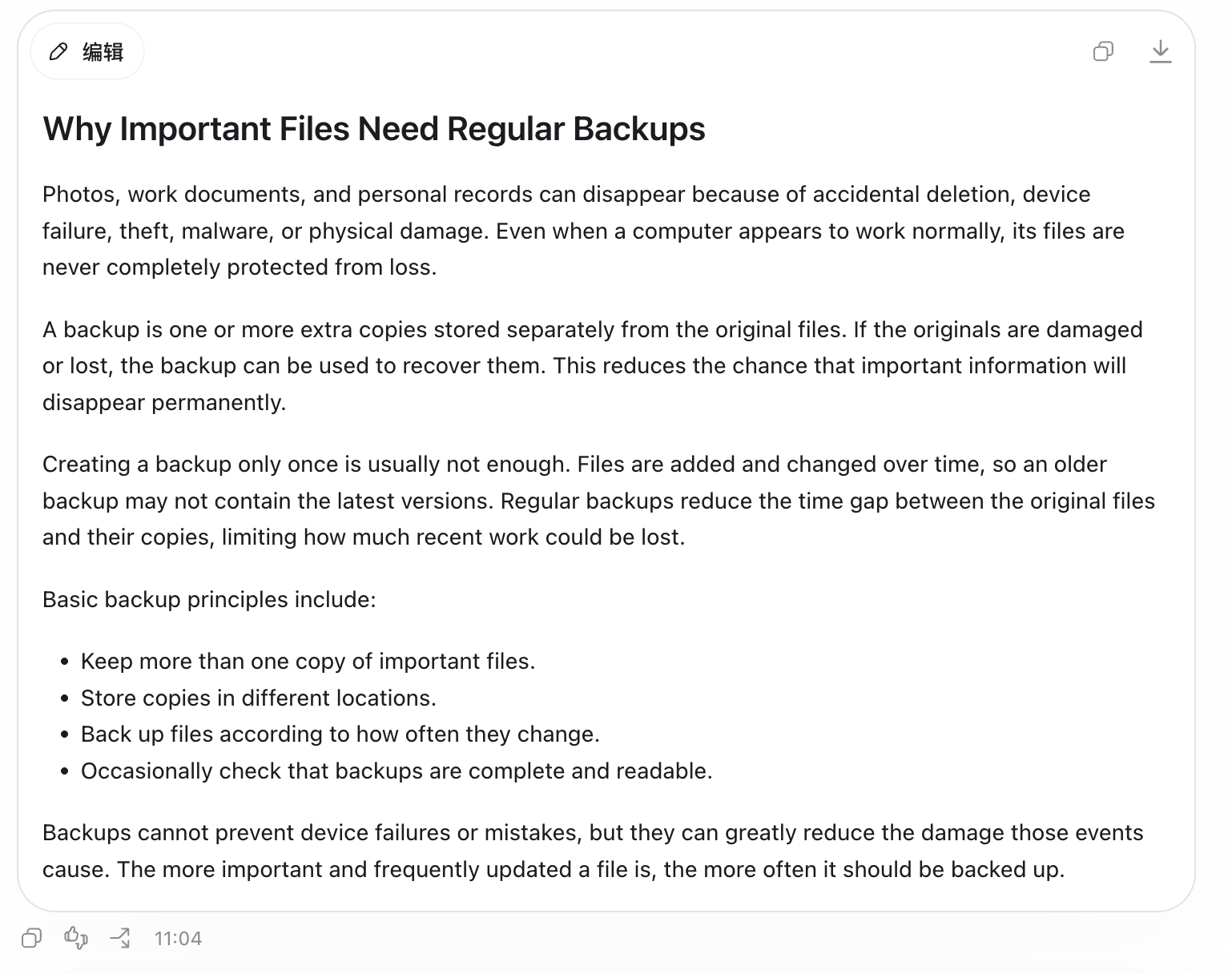
Why Important Files Need Regular Backups

Builds understanding around the “why” with plain language, clear boundaries, and a focused account of risks, purpose, and principles.

ORIGINAL PROMPT

Please use `documentation-writer` to explain “Why Important Files Need Regular Backups” in simple terms. The reader is an everyday computer user. Focus on the purpose of backups and the basic principles behind them. Do not provide instructions for any specific software. Keep it under 500 words and provide an outline first.
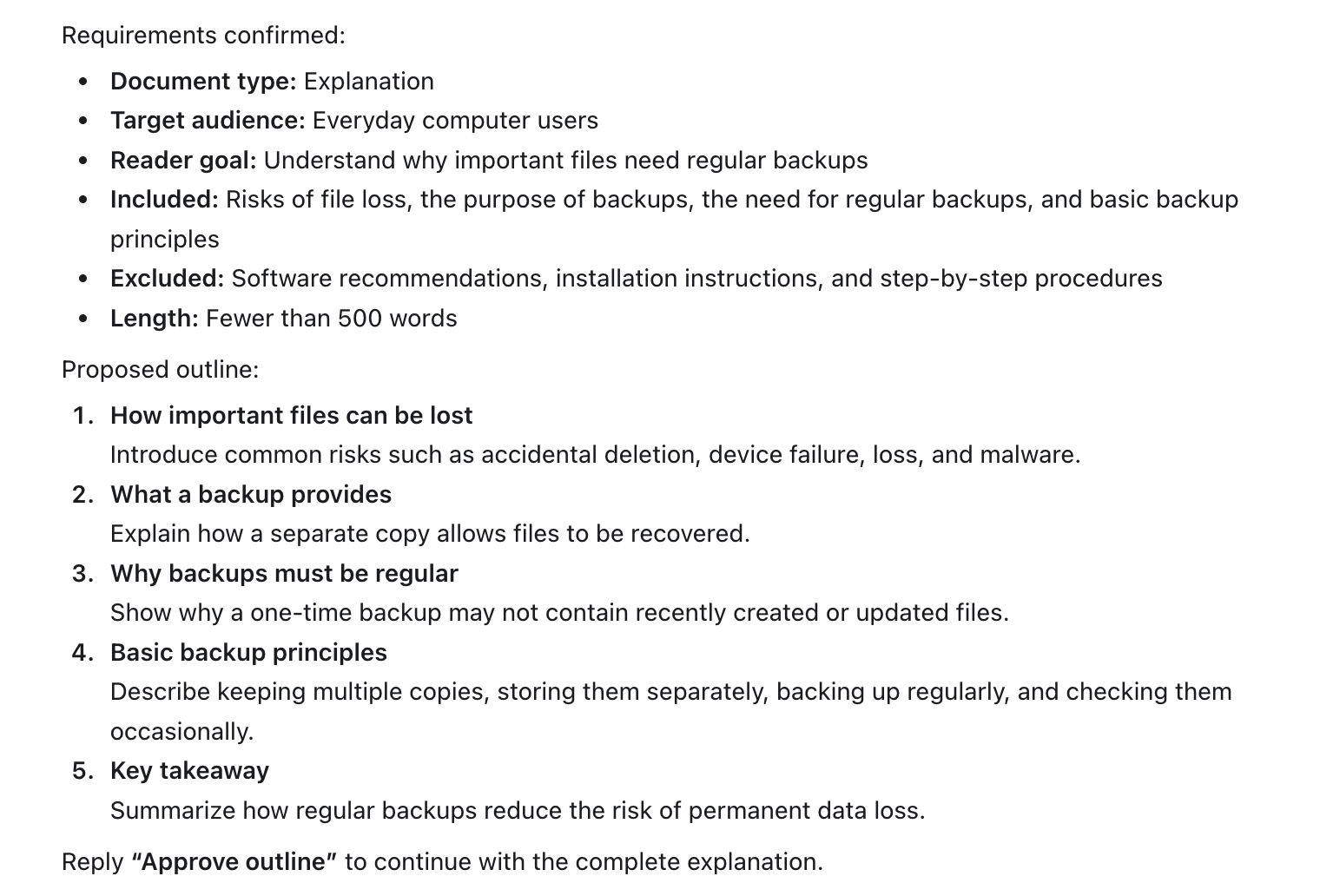
Why Important Files Need Regular Backups — Requirements & outline Why Important Files Need Regular Backups — Complete document
RELIABILITY BY DESIGN

Move critical decisions forward, where they can be reviewed.

✓

Explicit boundaries

Define inclusions and exclusions before drafting to keep the document focused.

✓

Human approval

The outline is reviewed by the user before full content generation begins.

✓

Consistent output

Keep tone, terminology, and Markdown structure aligned to one reader goal.

BUILT FOR

Teams that turn specialist knowledge into clear documentation.

DevelopersTechnical writersProduct and support teamsOperations and enablement teams
START WITH A CLEAR BRIEF

Give it a mode, an audience, a goal, and a scope.

Use this concise template to get an outline first, then approve the direction before the full document is written.

Please use documentation-writer to create a [document type] for [target audience] that helps them achieve [specific goal]. Include [scope] and exclude [out-of-scope topics]. Please provide an outline first.
Select the text to copy