ILLUSTRATOR · EXTENDSCRIPT / JSX

Illustrator workflows,
built to stay editable.

The adobe-illustrator-scripting Skill helps write ExtendScript from a clear request. Run the JSX in Illustrator to create a diagram, revise exact labels, and export a white-background PNG.

EDITABLE AIPRECISE TEXT EDITSPNG24 EXPORT
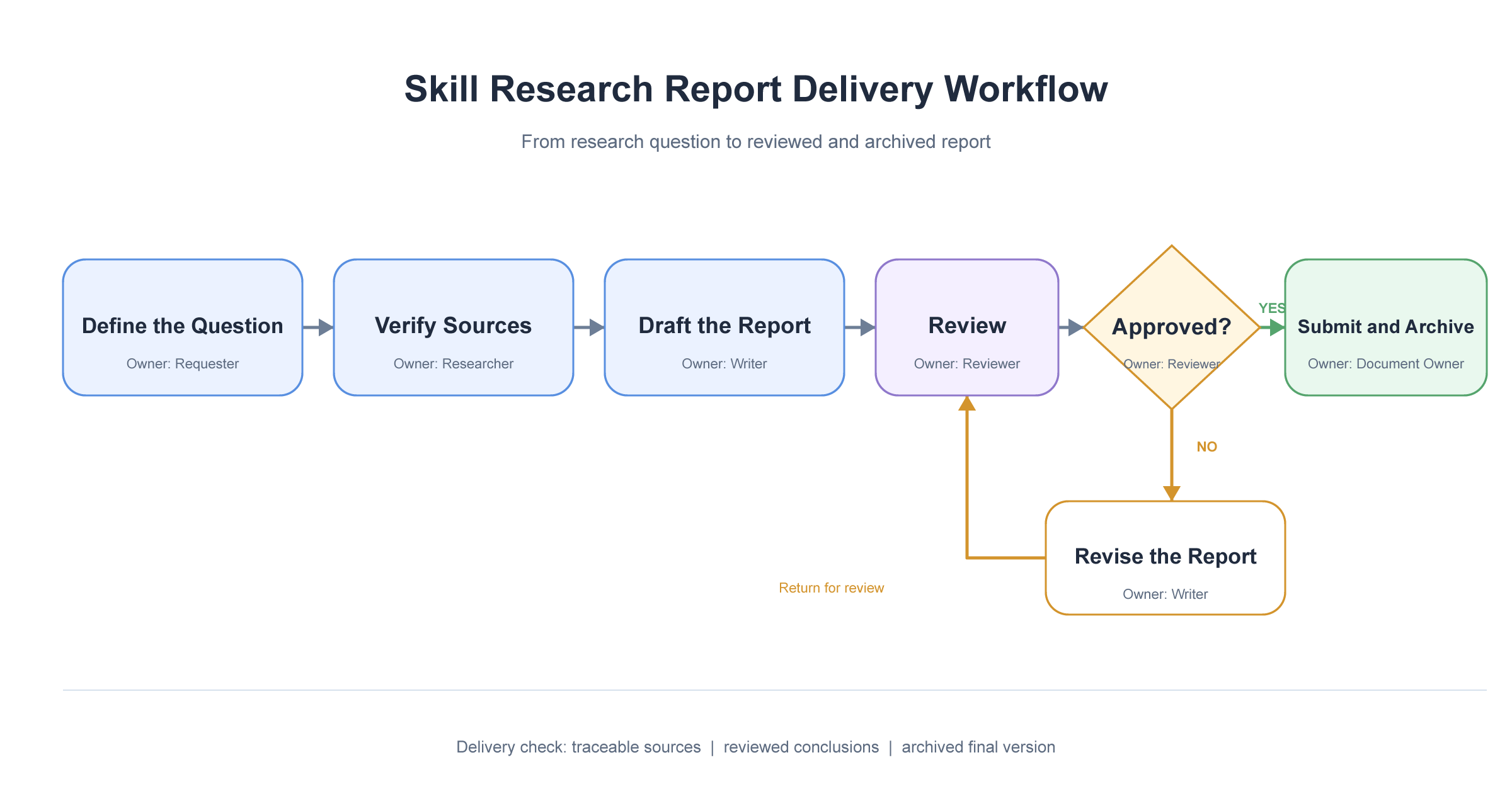
Workflow exportPNG24
Workflow export
White background · 2400 × 1280 pxILLUSTRATOR → PNG
BEFORE / AFTER

From drawing every object
to generating the diagram with JSX.

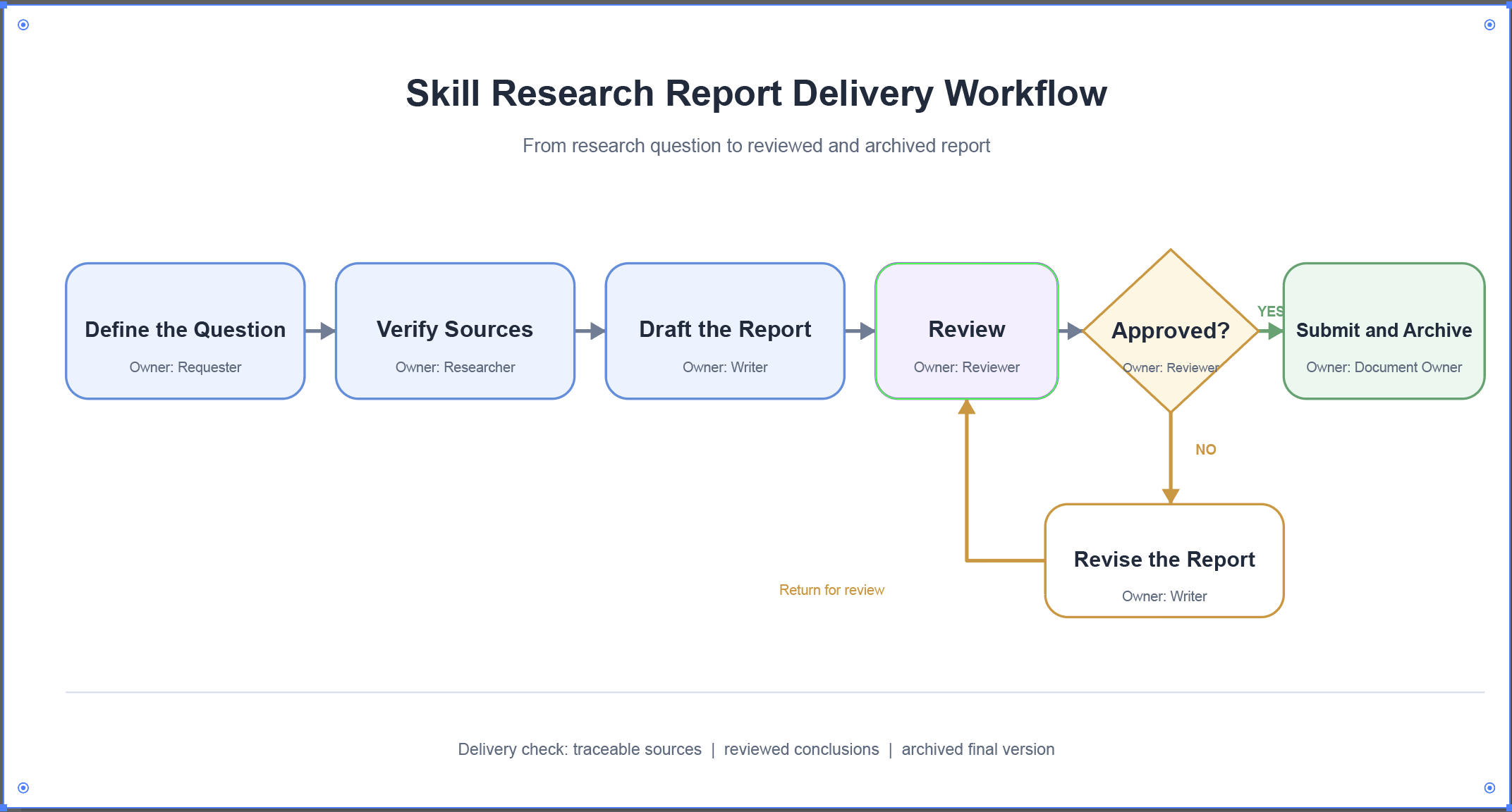
To make the same report-delivery diagram without the Skill, you would build and arrange each element in Illustrator. With the Skill, write JSX from the brief and run it in Illustrator to produce the editable diagram shown here.

Build it manuallyThe conventional path without the Skill
BEFORE
  1. 01
    Set up the documentCreate an RGB file and size the artboard
  2. 02
    Draw and arrangeBuild each step, decision, and arrow
  3. 03
    Label and saveAdd owners, check connections, and save the AI
Each object must be created, positioned, and checked on the artboard.
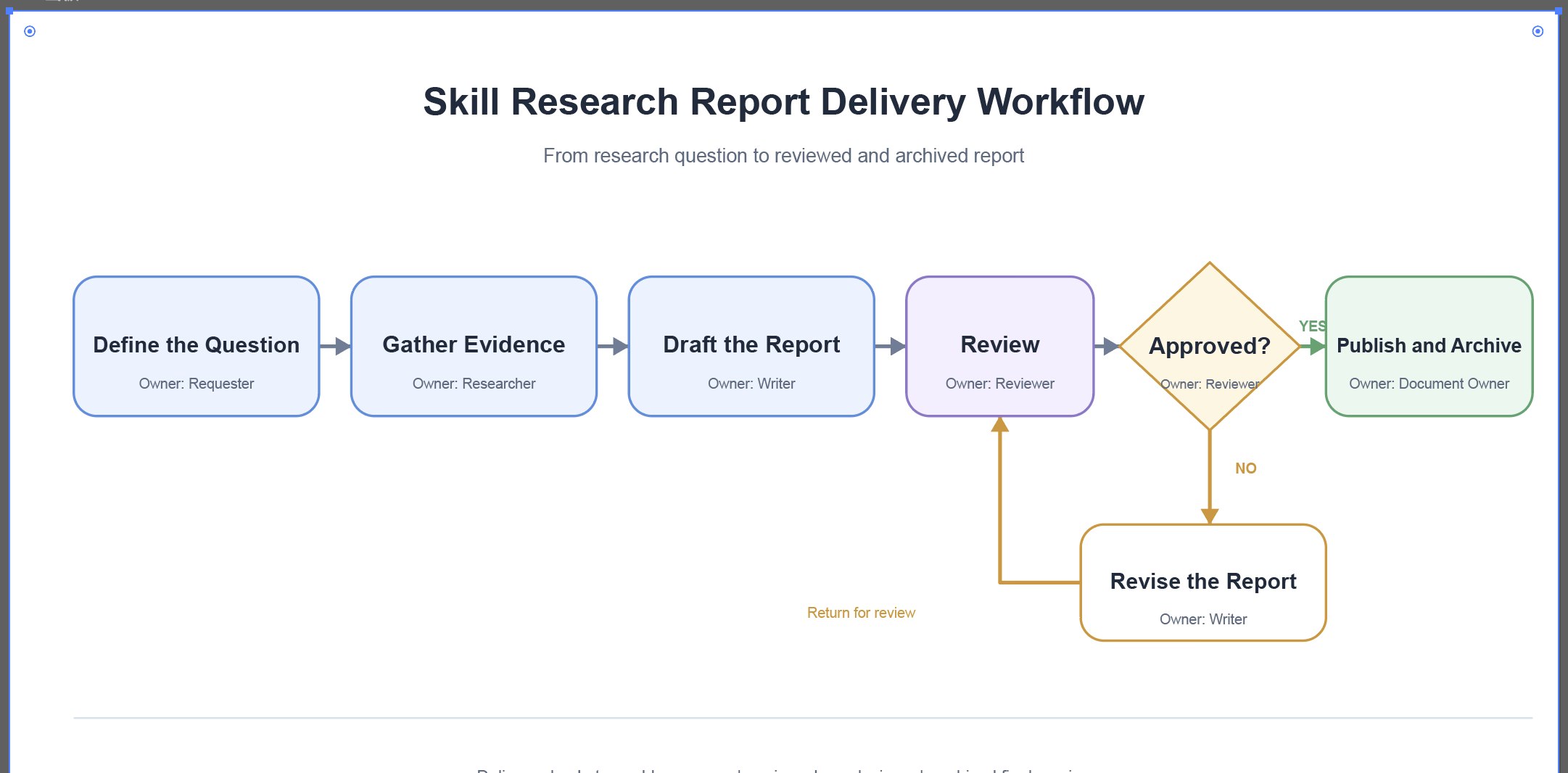
Run the JSX in IllustratorA script written with the Skill
AFTER
Run the JSX in Illustrator
Editable nodes, arrows, and text in an AI file. Image shown: the actual Illustrator result.
1200 × 640 ptGenerated RGB workflow artboard
2 labelsUpdated in a later script
200%Scale of the later PNG export
2400 × 1280 pxActual white-background PNG
CORE CAPABILITIES

Three connected actions, from source file to export.

Build the diagram, revise its language, and export the same work for delivery.

01 / CREATE

Build an editable diagram

Create an RGB document with separate shapes, arrows, and text. Save the workflow as an Illustrator AI file.

02 / REVISE

Change exact labels

Match two specific text frames, update their wording, retain the layout, and save a new AI version.

03 / EXPORT

Export the artboard

Create an opaque white PNG24 at 200% scale. The resulting image is 2400 × 1280 px.

HOW IT WORKS

The Skill writes the script. Illustrator produces the file.

A clear handoff between the request, the JSX, and the application keeps the workflow easy to inspect.

01

Describe the task

Specify the steps, labels, output format, and save behavior.

02

Get the JSX

Use the Skill to write Illustrator ExtendScript.

03

Run it in Illustrator

Choose File → Scripts → Other Script and select the JSX.

04

Inspect the output

Open the AI to review editable objects, or check the exported PNG.

USE CASES

The everyday work behind a finished visual.

These scenarios come from the three linked workflow actions shown below.

Map a process

Turn report delivery steps into editable nodes, decisions, and connections.

Revise terminology

Update labels in an existing diagram while keeping the original AI.

Prepare a shareable image

Export the revised artboard as an opaque white PNG.

REAL EXAMPLES

One workflow. Three practical outputs.

Move from an editable AI diagram to a revised version and a shareable PNG in one continuous sequence.

Build the report workflow

Build the report workflow

A 1200 × 640 pt RGB diagram maps the request, evidence, drafting, review, approval, and revision path.

Output: editable AI file
Update two labels

Update two labels

Change “Gather Evidence” and “Publish and Archive” in the existing diagram while keeping the composition.

Output: a new AI version
Deliver a white PNG

Deliver a white PNG

Export the revised artboard at 200% horizontal and vertical scale with no transparency.

Output: 2400 × 1280 px PNG
Illustrator export dialogIllustrator export dialog
FILE HANDOFF

A clear boundary between editing and delivery.

Illustrator runs the JSX. The AI version stays editable, while the PNG provides a ready-to-view image.

✓
The original remains available

The text revision saves a new AI file and numbers the filename when needed.

✓
Objects remain separate

The example uses editable layers for shapes, arrows, and text.

✓
Export settings are explicit

The PNG is clipped to the artboard, opaque white, and 2400 × 1280 px.

WHO IT'S FOR

For people who keep visual work moving.

For teams that need their diagrams to stay editable as language and delivery formats change.

Design teamsMaintain editable diagrams and deliver image assets.
Research and report teamsMap a delivery process and revise labels as the work changes.
Script-minded creatorsUse JSX to handle repeatable tasks inside Illustrator.
GET STARTED

Start with an editable workflow.

Explore the sequence from diagram creation to text revision and PNG export, then describe the Illustrator task you need to run.