01Open daily current-event pages
02Scan entries and related terms manually
03Copy each original source link
04Standardize count, order, and formatting
world-events-briefing collects global current-event material from Wikipedia Current Events and GDELT DOC 2.0, organizes it by date, country term, or keyword, and returns structured briefings with links to the original sources.
Generate five dated, numbered events with direct source links in one view, reducing manual scanning, copying, and formatting.
Organize global current events by date, country term, or keyword while retaining the source name and original link.
Generates dated, numbered current-event results for the previous UTC day, with original sources attached.
Applies a case-insensitive substring match to Wikipedia event text and returns potentially relevant entries.
Matches keywords across titles, descriptions, topics, and categories. Daily runs can be combined into a month-wide set.
Enforces the maximum requested in the prompt.
Retains a named source and original link for every displayed result, supporting direct review.
When GDELT is rate-limited or times out, the run can still complete with Wikipedia Current Events results.
The native interface processes one date per call. The past-month set was produced through daily runs, then merged and deduplicated by URL.
Choose a date or yesterday, then add a country term, keyword, and maximum item count.
Read Wikipedia Current Events and attempt the GDELT DOC 2.0 query.
Match country terms or keywords against the event text.
Normalize entries, deduplicate URLs, and enforce the requested item cap.
Provide dates, categories, topics, source names, and original links.
Cover daily briefings, country-term discovery, and month-wide keyword summaries. Month-wide searches are assembled through daily calls and merging.
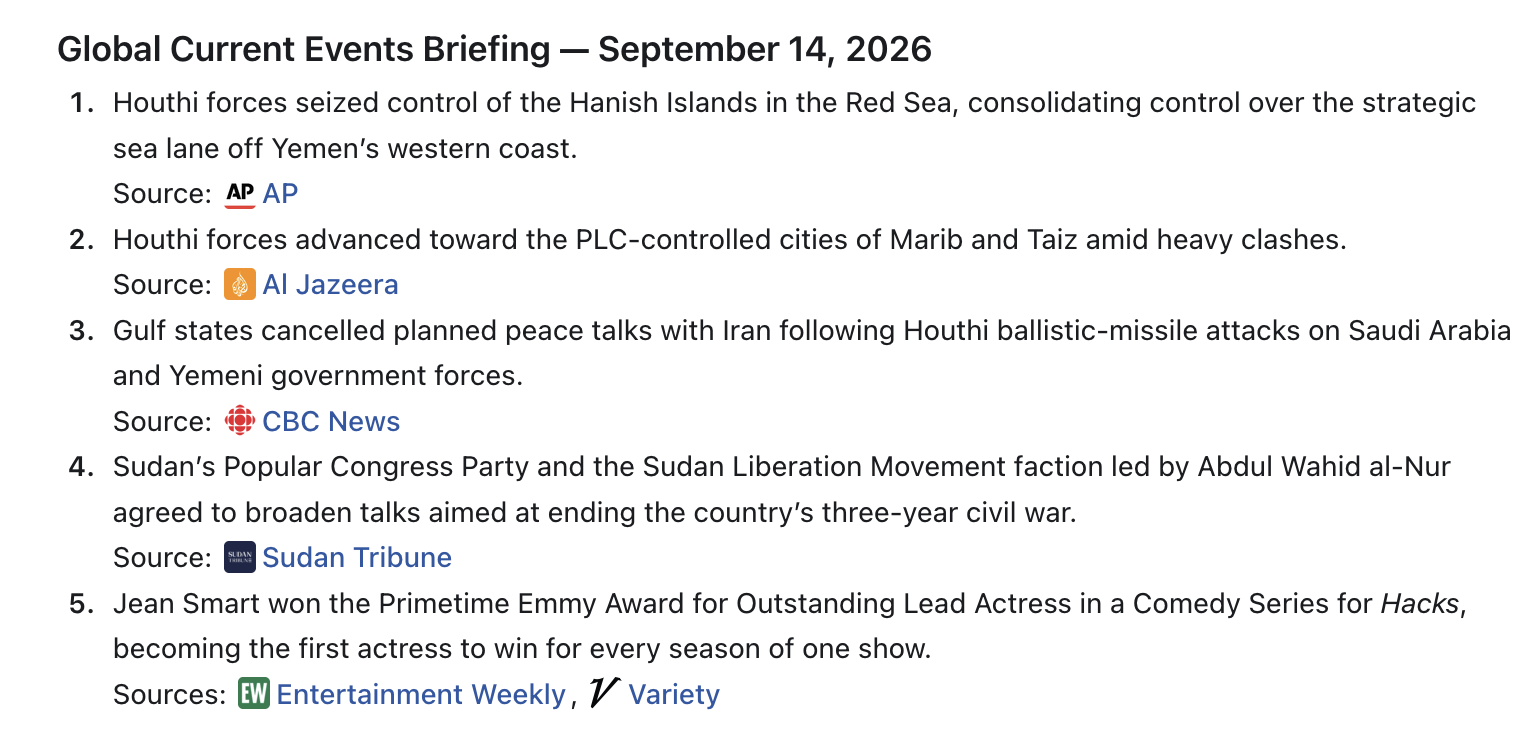
Create a controlled set of global events for the previous UTC day, with a source retained for every item.
Filter a day’s event text with terms such as America or Iran to identify potentially relevant entries.
Search election day by day, merge and deduplicate the results, then return up to ten of the most recent matches.
See the core workflows in action: a previous-day briefing, country-term filtering, and a month-wide keyword summary.
Five global current-event items were returned for September 14, 2026.
GDELT returned HTTP 429. Every displayed result came from Wikipedia Current Events.
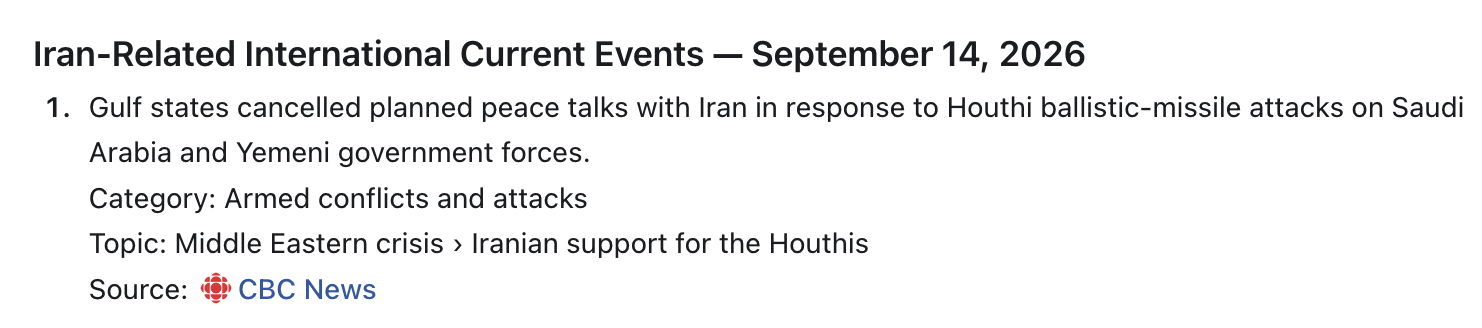
One Iran-related item was returned for September 14, 2026.
GDELT timed out. The displayed item came from Wikipedia Current Events.
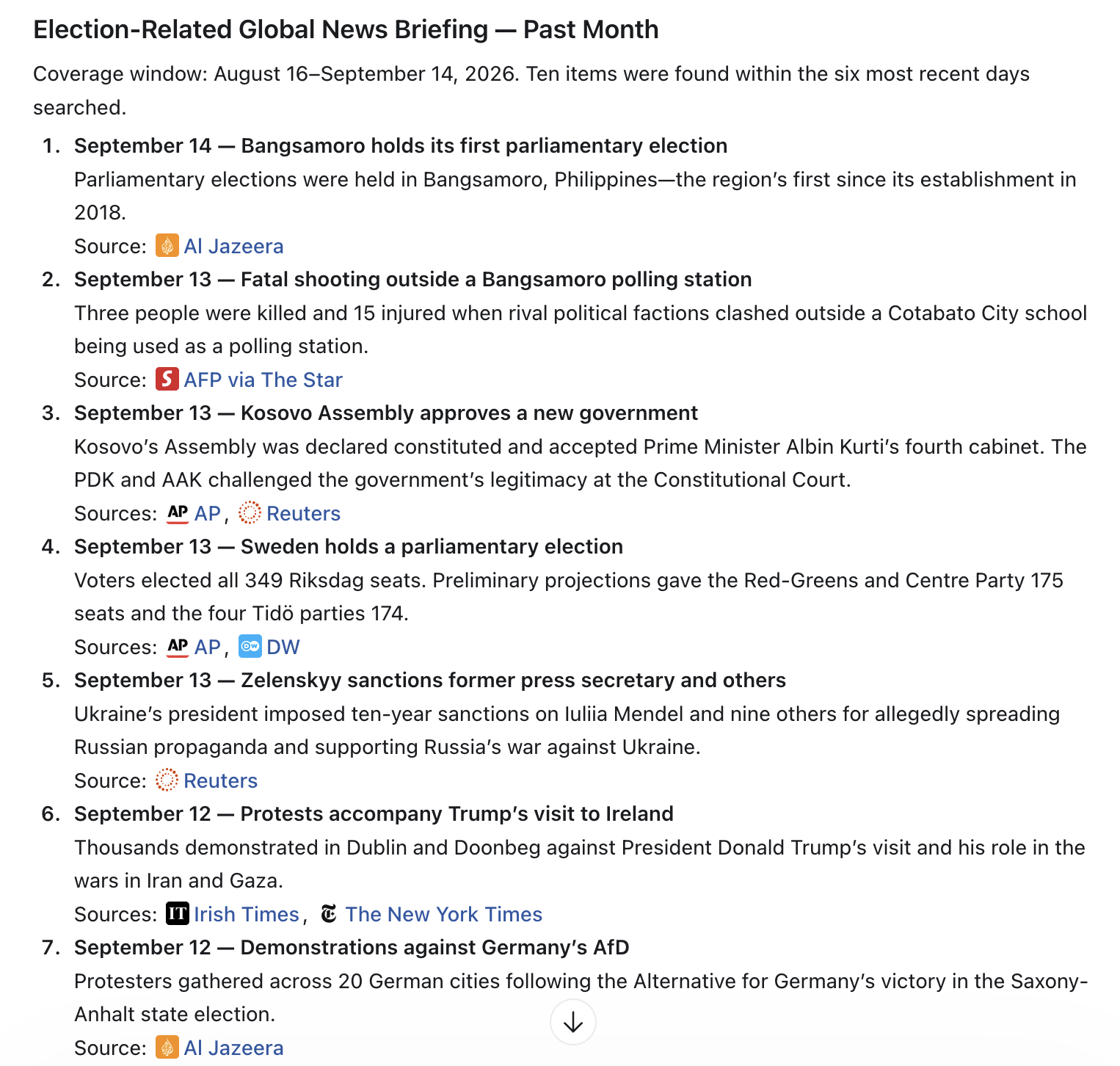
The effective window was August 16–September 14, 2026. Ten items were collected from the six most recent days searched.
Daily calls were merged. Election can also match indirect entries in the Politics and elections category.
The Skill uses public endpoints without an API key, preserves source links, and clearly surfaces external-source status.
No external API credentials are required.
Named sources and original links remain visible for direct review.
Wikipedia results can still return when GDELT produces HTTP 429 or times out.
Designed for current-event collection and organization—not opinion analysis, independent fact-checking conclusions, or investment advice.
Choose a specific date or the previous UTC day, add a country term or keyword, and set the maximum number of items. Review source status before using the linked entries.