OpenNIW Petition Suite · Information
Apply for U.S. status with AI · Full-flow Skill for NIW / EB‑1A / O‑1 / I‑485
OpenNIW Petition Suite is a document workflow for self-petitioners: gather your record, compare it with approved cases, draft NIW / EB‑1A / O‑1 / I‑485 materials, then fill forms in the browser and package them in official order. This is not legal advice and not a law-firm service.
Get help organizing records, preparing materials, and drafting documents. This tool does not replace an attorney’s professional judgment or services.
For legal judgment, consult a licensed immigration attorney. You remain responsible for everything you sign and file.
What this Skill is for
Preparing immigration materials involves gathering information, organizing evidence, and repeated checks. This workflow helps reduce repetitive work and prepare materials and document drafts. It does not replace an attorney’s professional judgment, review, or representation.
Step 1: Collect your record and benchmark it (Stage I)
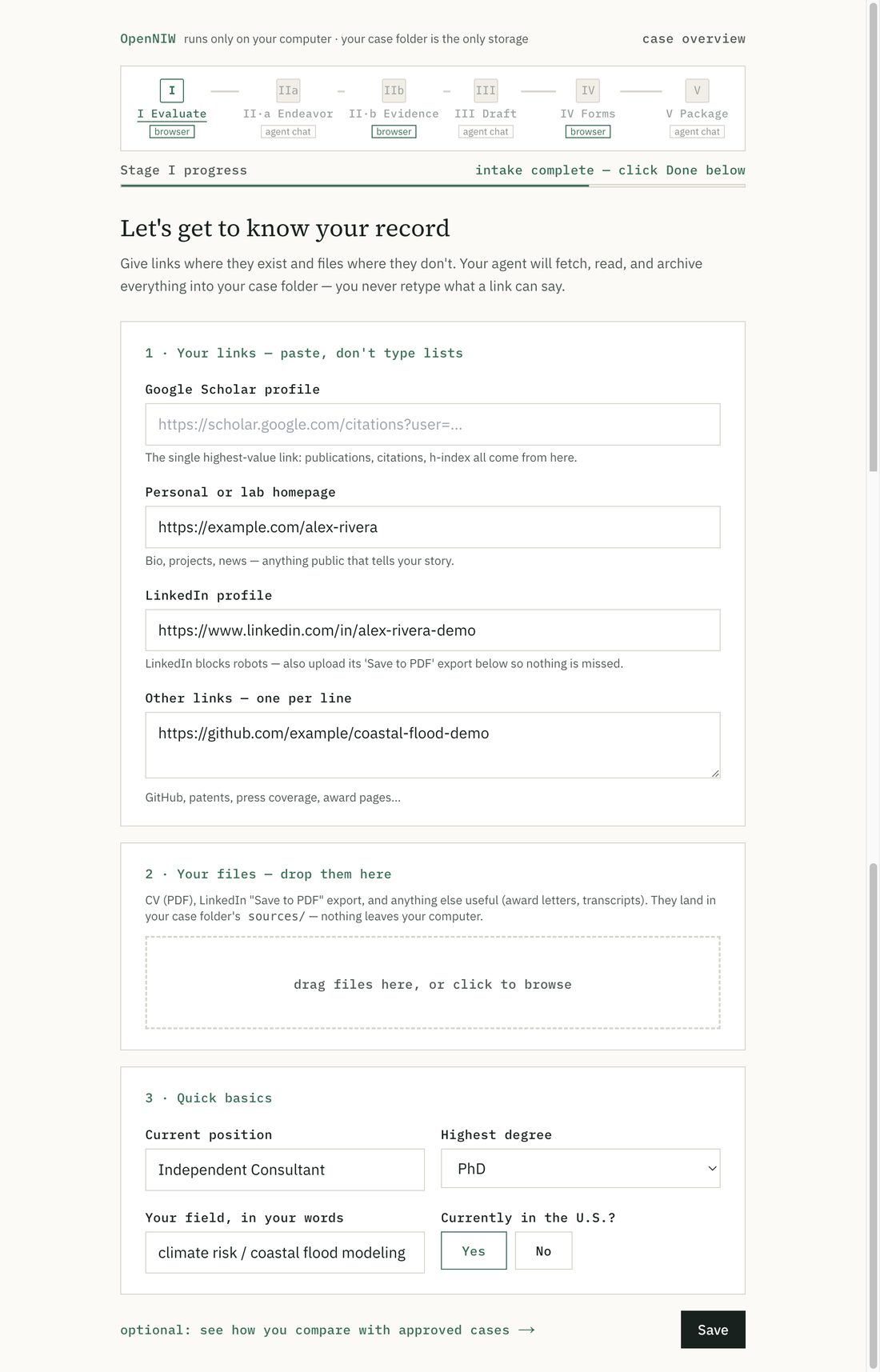
In a traditional process, a law firm spends a lot of staff time collecting your facts and reading your papers. DIY filers know that loop too. Give a Google Scholar link, a LinkedIn URL, and a few paper clues. The Agent does deep research online, pulls together your publications, field, collaborators, and institutions into a local profile, and downloads the papers it can find.
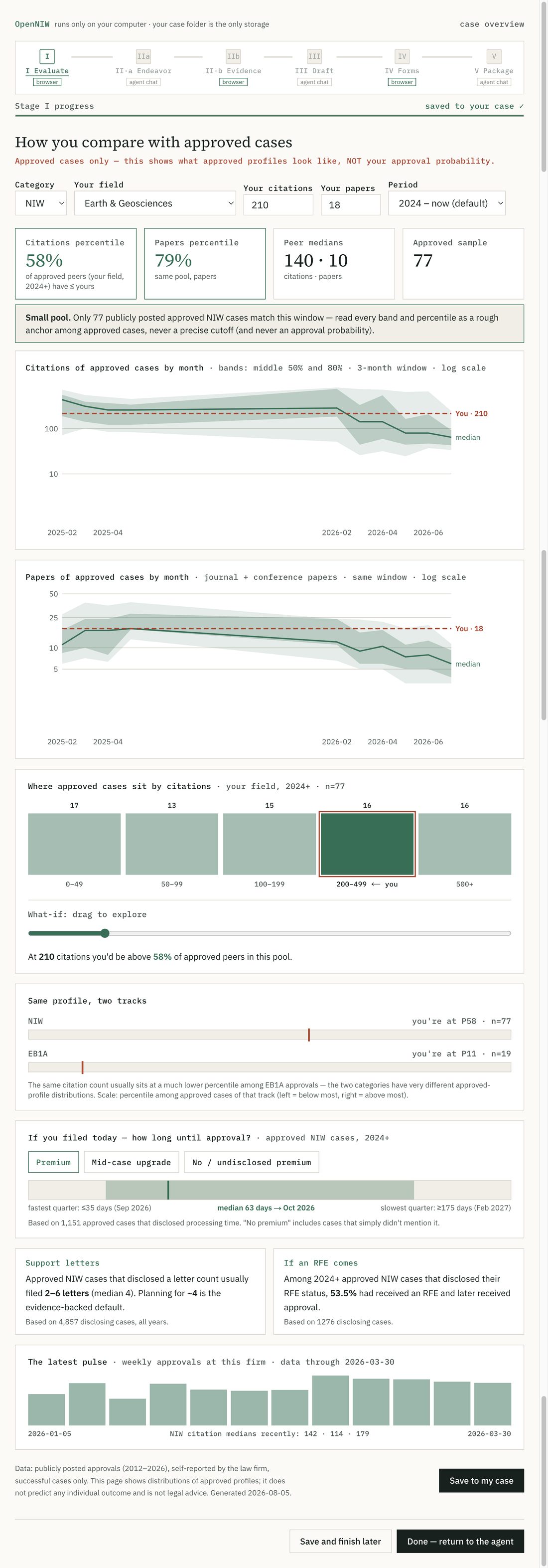
See where you sit among approved cases
Against 7,724 public NIW, 2,679 EB‑1A, and 179 O‑1 approved cases, you can see roughly where your paper and citation counts sit among more than ten thousand people.
This is a position inside an already-approved sample, not an approval probability. The page also labels it Approved cases only.
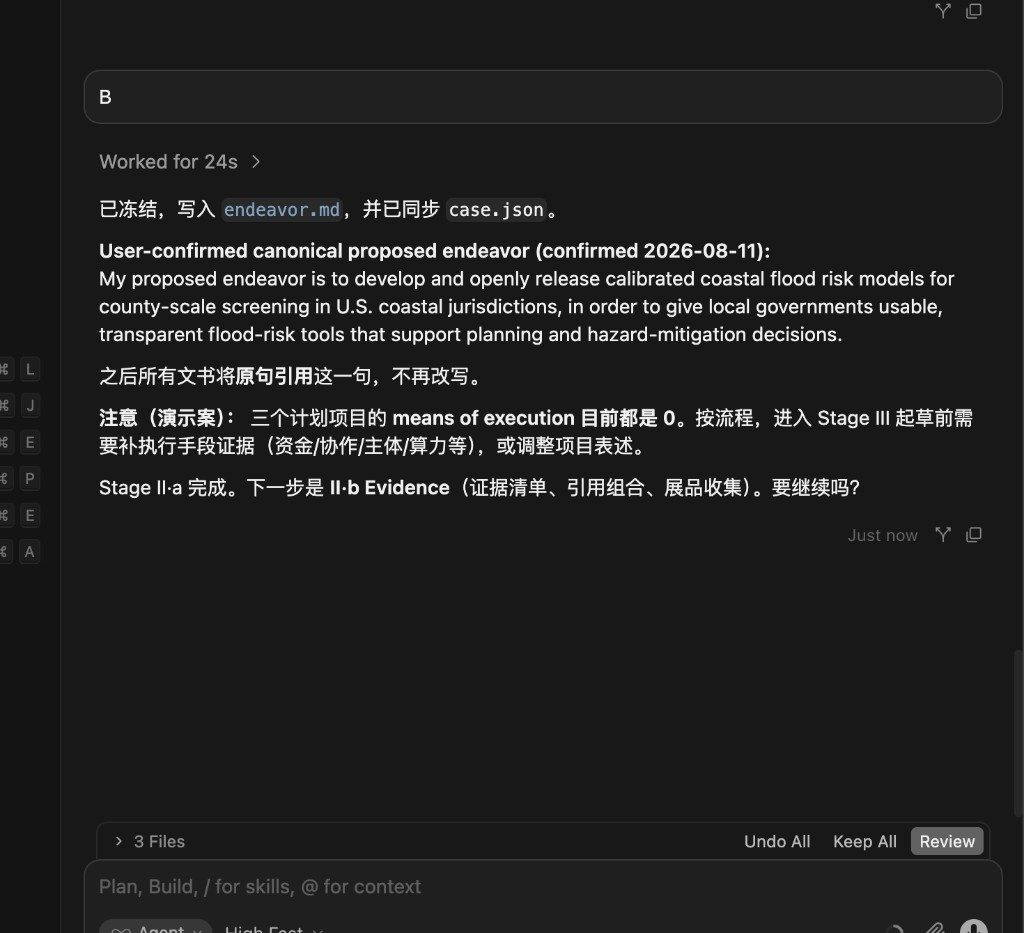
Step 2: Lock the core direction and collect evidence (Stage II)
The Agent drafts a Proposed Endeavor sentence, scores how executable it is, and you lock the one you choose. Later documents quote that sentence verbatim, so the story does not drift.
After the direction is locked, the Agent lists missing exhibits, harvests citing papers, screens independent citations, and checks sources one by one so you are not padding the file with unrelated or duplicate cites.
Step 3: Draft the full document set to the official framework (Stage III)
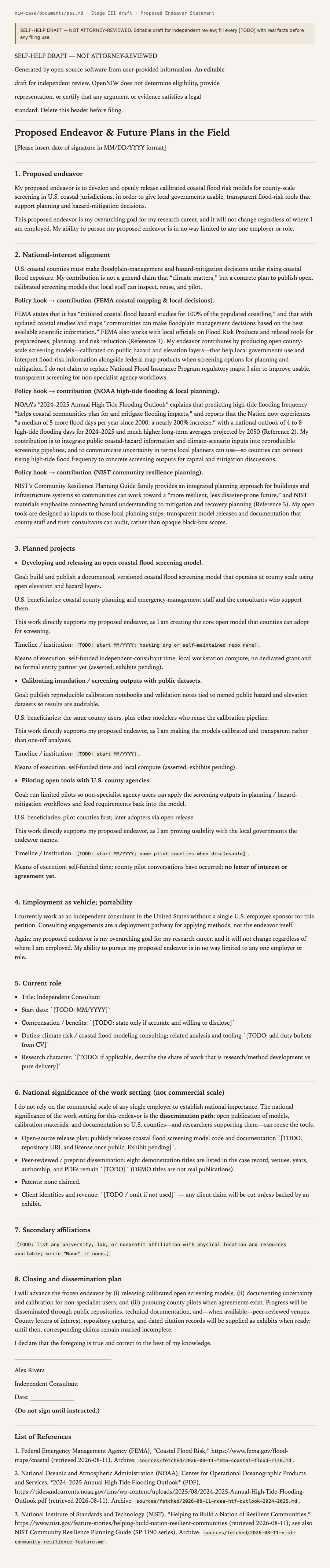
This is not a block of text that merely sounds like a lawyer. It builds the case skeleton to the immigration framework: a Proposed Endeavor Statement (PES), support-letter / recommendation-letter drafts, and an index that maps each claim to an exhibit.
The Skill writes those drafts by section. You check the facts and fill in the evidence.
Step 4: Fill official forms in a browser wizard (Stage IV)
After the drafts settle, the Skill writes the fields it can determine into answers.json, then opens a browser wizard for you to confirm each item. Fields inferred by AI are flagged; editing them clears the flag. Once you confirm, a local script fills I‑140, ETA‑9089 Appendix A, and related official PDFs, so you do not recopy the fields that can be filled automatically.
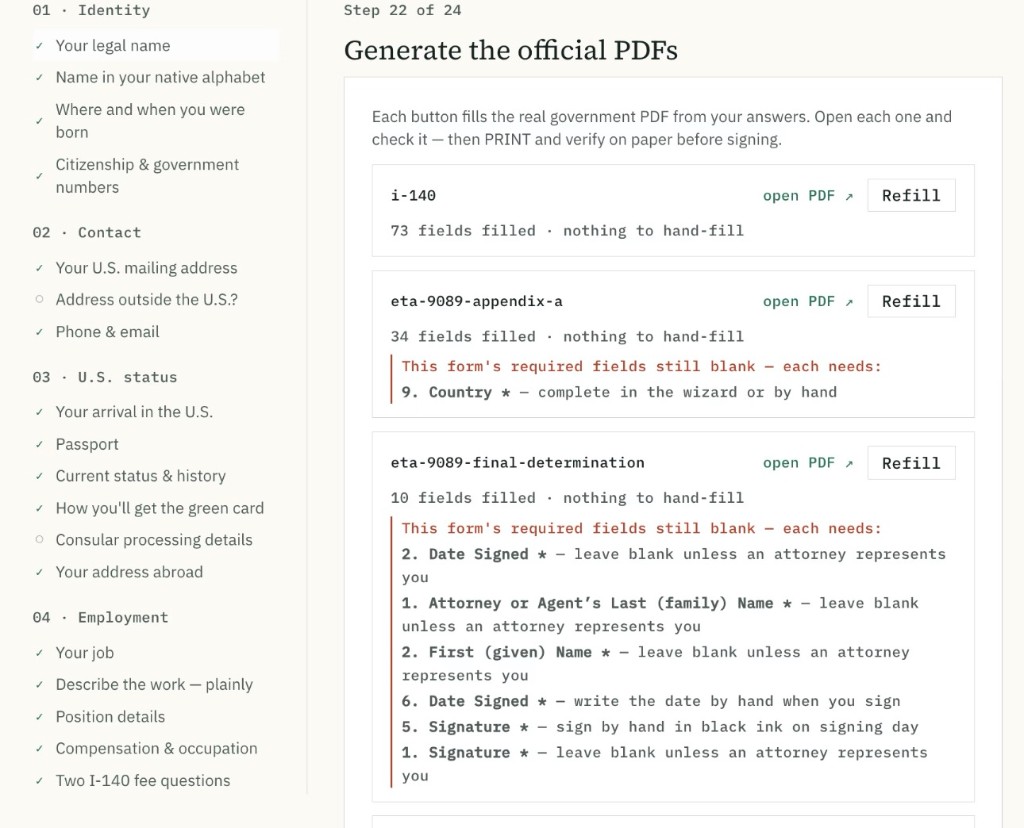
I‑140
Local script fills it from answers.json.
ETA‑9089 A
Filled with I‑140; unmatched fields stay for you.
Open fields
Uncertain items are flagged for you to confirm.
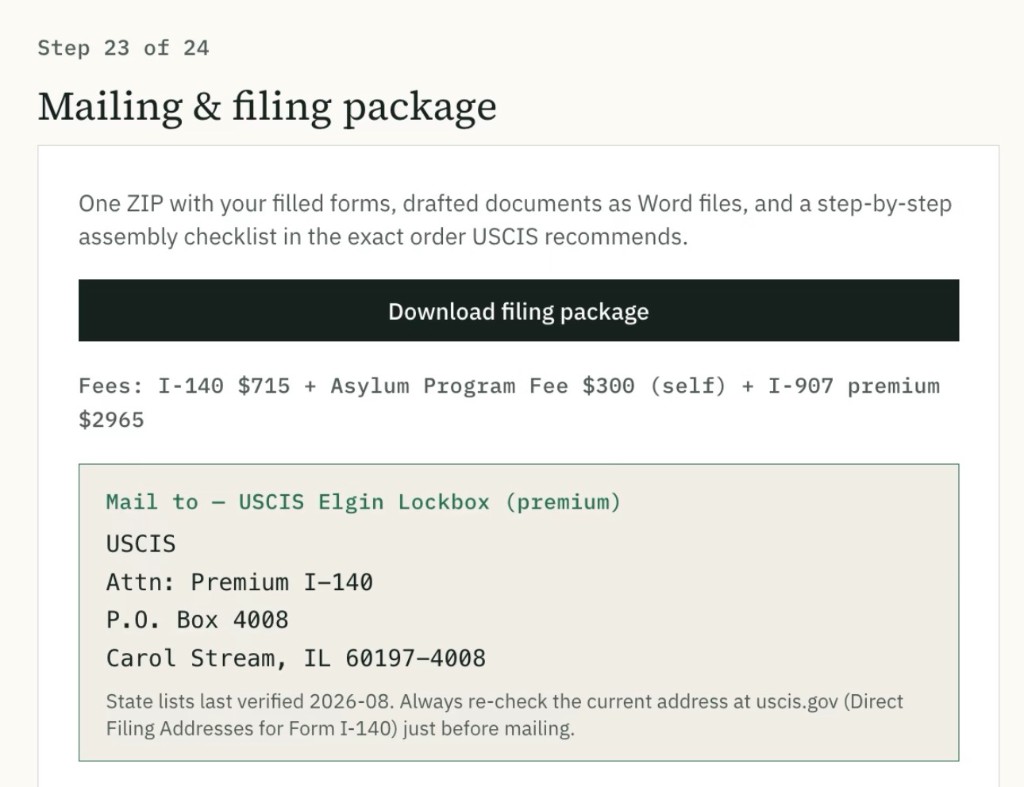
Step 5: Package and mail in official order (Stage V)
Before the package is built, the Skill red-teams the file: claims with no source, key arguments without independent support, dead citations, and unfinished placeholders. It then walks twelve RFE-prevention rules. Every finding has to be fixed, or you accept it on the record. Nothing is waved through quietly.
After that check, the materials are assembled in USCIS order into a print-sign-and-mail package, with the lockbox address matched to your state.