01 Let the voice lead the visuals
A talking-head recording is ready, but the captions and transcript are still missing. Give the recording and Skill to the Agent: inspect the source, confirm the spoken text, review a short captioned preview, then extend the approved style to the full recording. The presenter and voice come from the original footage; the captions and visual treatment remain editable.
Video TalkCraft provides a production workflow from an approved script and finished narration to Remotion video. It includes word-level timestamps, SHOTBOOK storyboard planning, motion templates, segmented rendering, audio/visual quality checks, and a local workbench for manual fine-tuning. This English case demonstrates captioning, style comparison, and targeted caption resizing.
02 Make continuous speech easy to read
The input is a continuous talking-head recording without on-screen captions. The output adds caption cards for the spoken phrases. For a revision, name the phrase you said and specify what should change and what should stay.
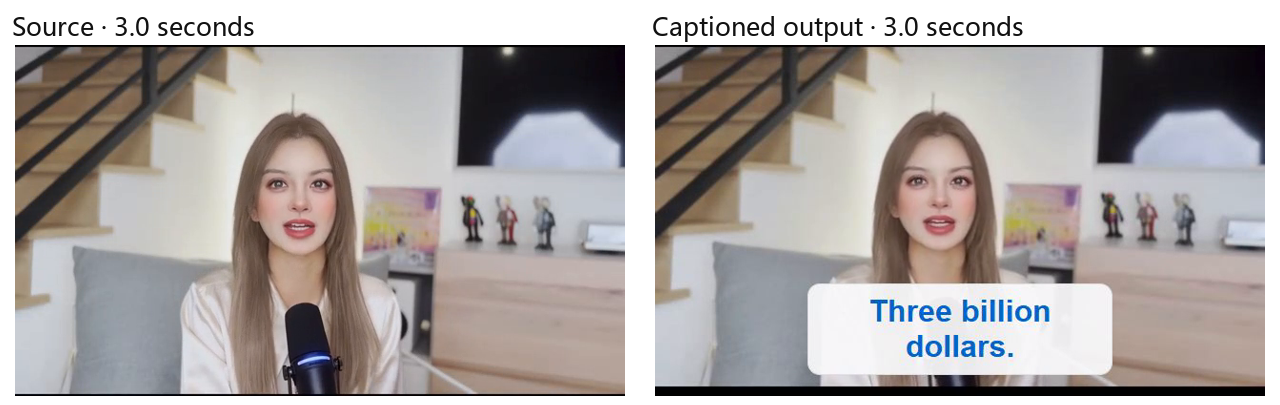
03 Recording is the start of production
Knowledge explainers still need an accurate transcript, verified numbers and proper names, readable caption placement, sensible line breaks, and clear emphasis. When the style changes, the wording, presenter footage, and original voice should remain consistent.
Product explanations also need the interface, operation sequence, and narration rhythm to correspond. That scenario requires authentic interface material. The supplied examples focus on a presenter; they do not establish a verified product walkthrough.
04 Make one thought clear first
Voice-led motion connects narration, information, and visual emphasis. Let each segment answer a question, then choose the text, media, and motion that support it. In this case, caption content, placement, and styling come first; light/dark variants and a targeted size revision follow.
The Skill can form internal storyboard segments from meaning. With a continuous recording, describe a requirement using a spoken phrase or time position, approve a small section, then continue with the full recording.
05 From script to Remotion output
Input · approved script and finished narration
Provide the confirmed script and final narration. If only a continuous recording is available, its embedded audio can be used to prepare a transcript. A person checks numbers, proper names, and unclear speech.
Alignment · word-level timestamps
Align the approved text with the narration to establish caption boundaries, semantic segments, and later visual beats. Replay uncertain words and timing points before confirming them.
Planning · SHOTBOOK and motion templates
Organize SHOTBOOK segments around meaning and emphasis, then select suitable motion templates. The templates provide options; media choice, pacing, and style still need judgment.
Production · segmented rendering and audio/visual checks
Render the Remotion video in segments and check captions, picture, audio transitions, and output boundaries. Review problematic segments separately. Use the local workbench to adjust shots, text, motion, or pacing, then recheck the affected sections.
Handoff · an editable local project
Keep the finished video, project, captions or timing configuration, comparison versions, and check records. Still frames show caption layout on a web page. Sound, rhythm, and synchronization still require watching and listening to the actual video.
06 Evidence from an English talking-head case
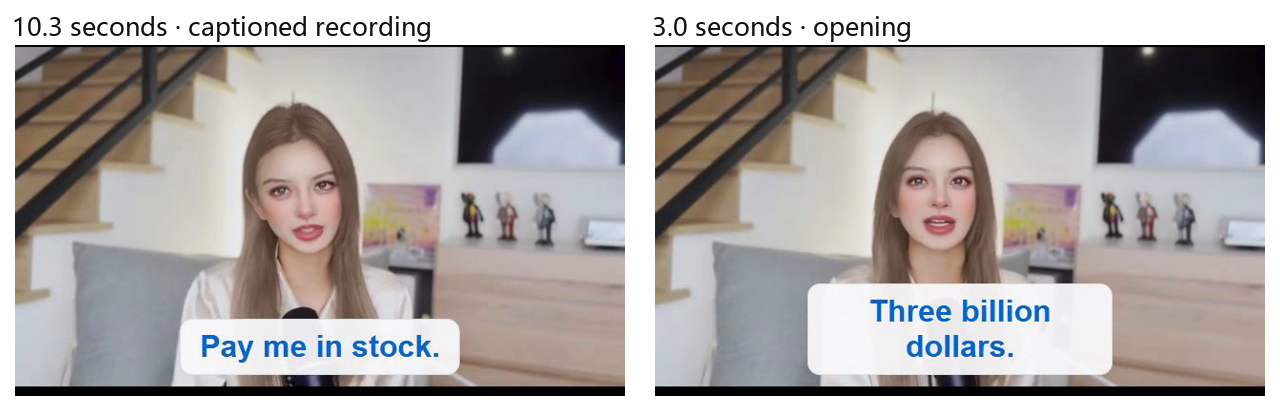
The independently run English case has a captioned recording of about 30.9 seconds, an opening preview of about 11 seconds, and light, dark, and enlarged-caption comparisons. The original presenter footage is retained, with selected phrases emphasized in bold blue text.
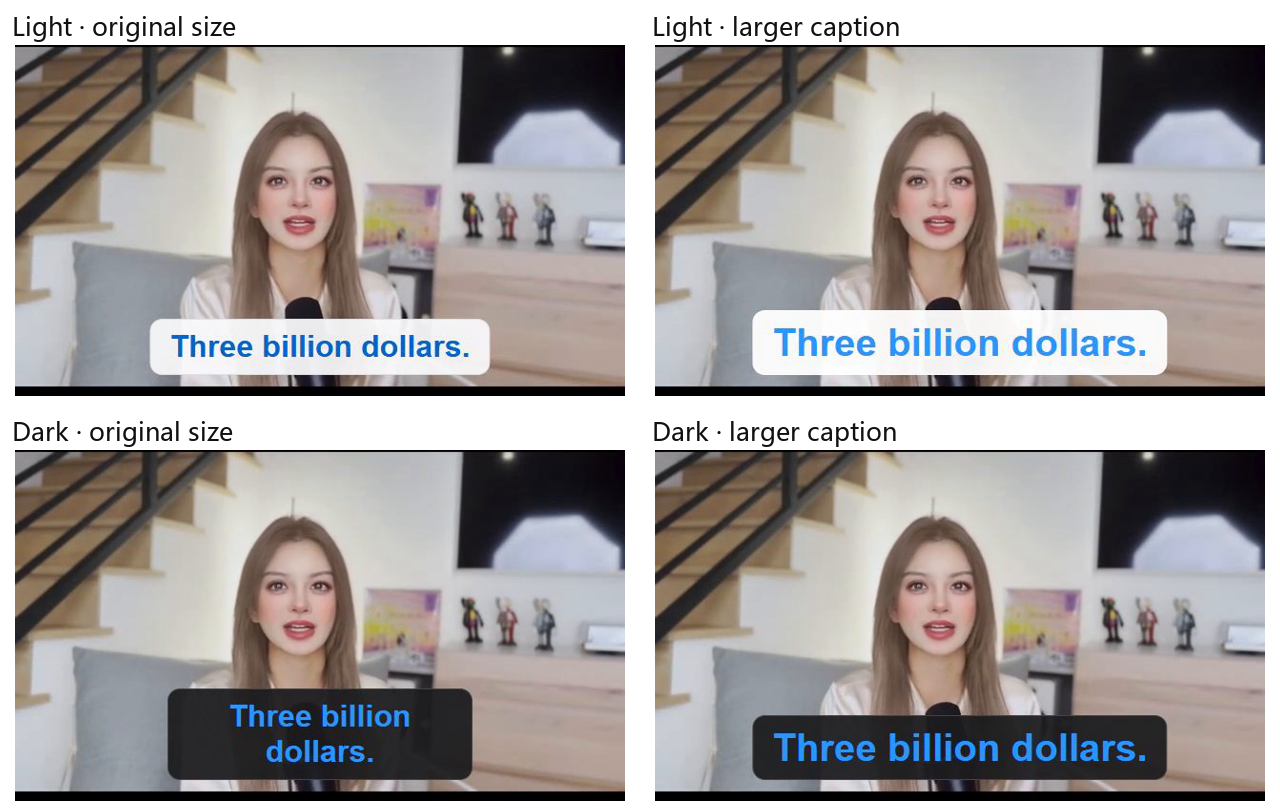
Compare style and revise a specific phrase
All four frames below are taken at 3.0 seconds. The size revision targets “Three billion dollars.” and preserves the original comparison versions. In the dark variant, that phrase changes from two lines to one, so resizing also requires checking card width, line breaks, and screen boundaries.
The full English output and source have matching AAC audio data. The comparison clips do not all have identical audio parameters, so a picture comparison cannot establish that every variant preserves the audio bit-for-bit.
What remains to be checked
One caption says “A twelve-fold increase,” which conflicts with the preceding figures of $3 billion and $65 billion. Check the original speech and the facts before making a correction. The editable English project was reconstructed from the retained output; caption timing after the first 11 seconds is approximate and may not reproduce the original output frame-for-frame.
Still images demonstrate size, position, style, and a local revision. They do not verify word-level synchronization across the entire recording, every overlap, or the full motion rhythm.
07 Keep the basis for each revision
Use the voice as the timing reference
Narration timing helps connect keywords and visual actions. Numbers and proper names still need a listening check. Interpolated or reconstructed timing is not the same as a measured speech boundary.
Compare the same moment
Side-by-side frames at the same time point make a style or size change easier to judge. Changing a caption card’s color does not replace the presenter’s background, and one still frame cannot demonstrate an entire animation.
108 motion recipes for further production
The package contains 108 motion recipe assets for structures including text, data, screenshots, and transitions. This case does not run or demonstrate all 108 recipes.
Retain the project and check records
The project keeps caption text, styling, and timing editable. Check records distinguish completed work from open questions. Automated results need a full viewing and listening pass.
08 Video TalkCraft Skill
Provide a recorded talk, or an approved script and finished narration, together with authentic media and production requirements. Organize captions and visuals around the voice, and retain the editable video project.
Editorial appendix · images and open items
This English page uses English case material only. The website presentation uses still images. Image evidence is taken from supplied footage or retained output; it does not replace a full video review.
| Image | Source and purpose |
|---|---|
| I01 | English source/output comparison at 3.0 seconds. |
| I02 | Two frames from the English full recording. |
| I03 | Four English opening variants at 3.0 seconds. |
Before publication, confirm the disputed multiplier against the speech and facts. Timing after 11 seconds in the reconstructed English project remains approximate. Product walkthroughs and all 108 motion recipes have not been demonstrated by this example.
Finch acquisition-page screenshot:
Authentic product-explanation case and interface screenshots:
Permission to display the media and presenter:
Text and image revision notes: