REACT FLOW / CUSTOM NODESMICROSOFT SOURCE · INFORMATION
A component for your canvas
Give your canvas a new kind of node.
Start with a typed, editable React Flow component. Add your content, connect its handles and let selection reveal the resize controls.
Original Microsoft Skill · MIT
The supplied node pattern
Your node title
Your node-specific content belongs here.
Target / sourceTop / bottom
Title inputEditing mode
Resize controlsSelected + editing
Anatomy illustration; actual local result below.
12 browser checks passedTypeScript checkedLocal React fixture built
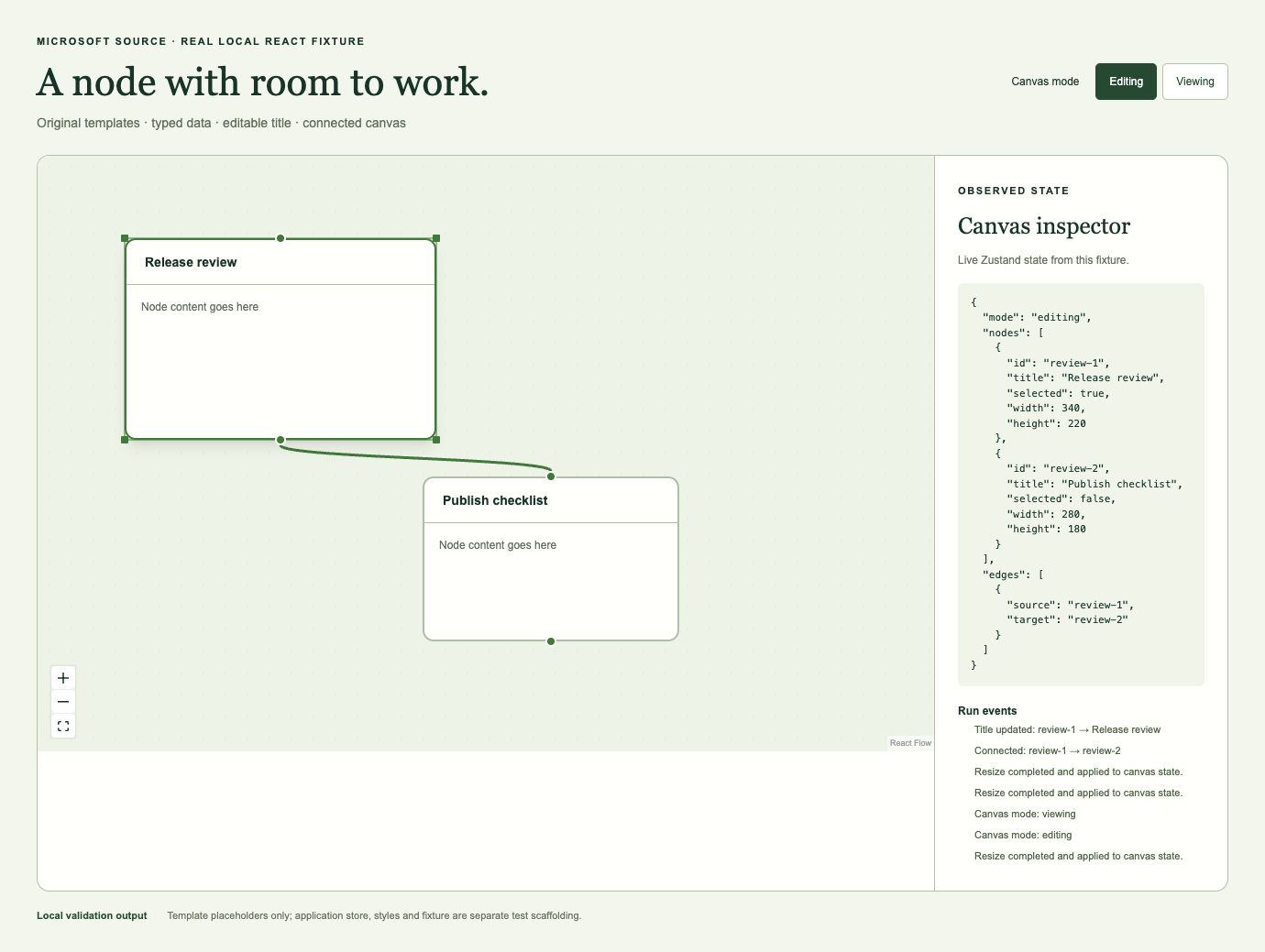
Actual local result. One instantiated template, two nodes and a real dragged connection. The inspector reads live fixture state; this screenshot is not generated application footage.
A small part. A useful starting point.
What ships
01
A memoized TSX node component
Individual Zustand selectors, a title update callback, target and source handles, and a resizer that appears in editing mode when selected.
02
A typed data contract
A data interface extending Record<string, unknown>, a title field, an optional description and a React Flow node type alias.
03
An application integration checklist
Guidance for registering the type, adding defaults and connecting your existing node menus. The application itself stays yours to build.
Good fit
Builders of visual tools
Workflow editors, creative canvases and applications that need a new reusable node component inside an existing React Flow setup.
Outside the scope
A whole editor in one download
This is guidance and two templates. It does not include persistence, collaboration, a backend, node-specific logic or a finished workflow engine.
Bring your app. Keep your conventions.
Give a compatible coding assistant the desired node name, data fields, body content and application paths. It can instantiate the templates and help register the result.
Assistant
Codex or another assistant that can read local Skill files; model access may have its own cost.
Runtime
React, React DOM, @xyflow/react and Zustand. TypeScript checks the generated code.
App contracts
@/types, @/store, @/utils/utils, CSS variables and Tailwind utilities or equivalent styling must exist in your project.
Network / keys
Installing dependencies needs network access. The tested node interactions require no cloud credential or extra API key after installation; assistant model access is separate.
Evidence boundary. One local fixture passed title editing, real handle connection, resizing, minimum size and mode checks. The fixture store and styles are test scaffolding outside the original-source package. No assistant accuracy, speed, cloud integration or production readiness claim is made.