Open a design canvas inside the DeepSeek Harness conversation, with no tool switching.
01
Before / After
The same brief, two very different handoffs.
Re-theming the same project
02
Core Capabilities
Describe what you need in plain language; the AI builds the page, or reworks the whole design at once.
Select any element and ask for a change. The plugin places that element's details into your message draft for you to review before sending.
Text, type, colour, size, spacing, background, links and images, all adjusted on the canvas.
Check one design across several viewports before you save.
Colour, type, corner radius and spacing live in design-tokens.css, so one edit applies everywhere.
29 bundled templates spanning sites, posters, information cards, reports and articles — a starting point rather than a blank page.
Every write is version-checked. If the file changed elsewhere, the save is stopped and you are asked to reload.
HTML, CSS and project files sit in the design/ folder of your workspace, ready to hand over or keep building on.
03
By the Numbers
| Metric | Value | Note |
|---|---|---|
| Bundled templates | 29 | Templates available in the design catalogue. |
| Theme variables | 18 | Editable token variables declared by the example project's manifest.json. |
| Output files | HTML + CSS | Standard web files that open in any browser. |
| Print format | A4 portrait | Supports @page print rules; export to PDF from the browser. |
| Copy languages | Chinese / English | One layout carries either language. |
04
How It Works
011. Start Launch DeepSeek Harness in the directory you want to use as your workspace.
022. Open Design Open the Design view in the conversation. The workspace scaffolds a design/<sessionId>/ project automatically.
033. Describe it Choose a starting point from the 29 templates with the + button, or ask the AI to begin from a blank project.
044. Refine on the canvas Turn on edit mode and adjust text and styling directly. For broader changes, use Ask AI to draft the request.
055. Preview and save Check the desktop and mobile previews, then save. The files are written back to your workspace.
05
Use Cases
DeepSeek iDesign is built for non-slide design. Each of these can start from a conversation.
Websites and landing pages: Homepages, product pages, campaign pages, personal sites.
Apps and product prototypes: Mobile interfaces, dashboards, clickable web prototypes.
Posters and social cards: Marketing posters, magazine-style posters, carousels, share cards.
Information cards and long-form graphics: Reading notes, event cards, WeChat long-form articles.
Data and finance reports: Data-visualisation reports, financial reports, experiment readouts.
Articles and editorial layout: Magazine articles, blog posts, digital e-guides, wireframes.
06
Case Studies
Each of these began as a single conversation. The output in every case is a real project file in the workspace.
From one sentence to an A4 information card
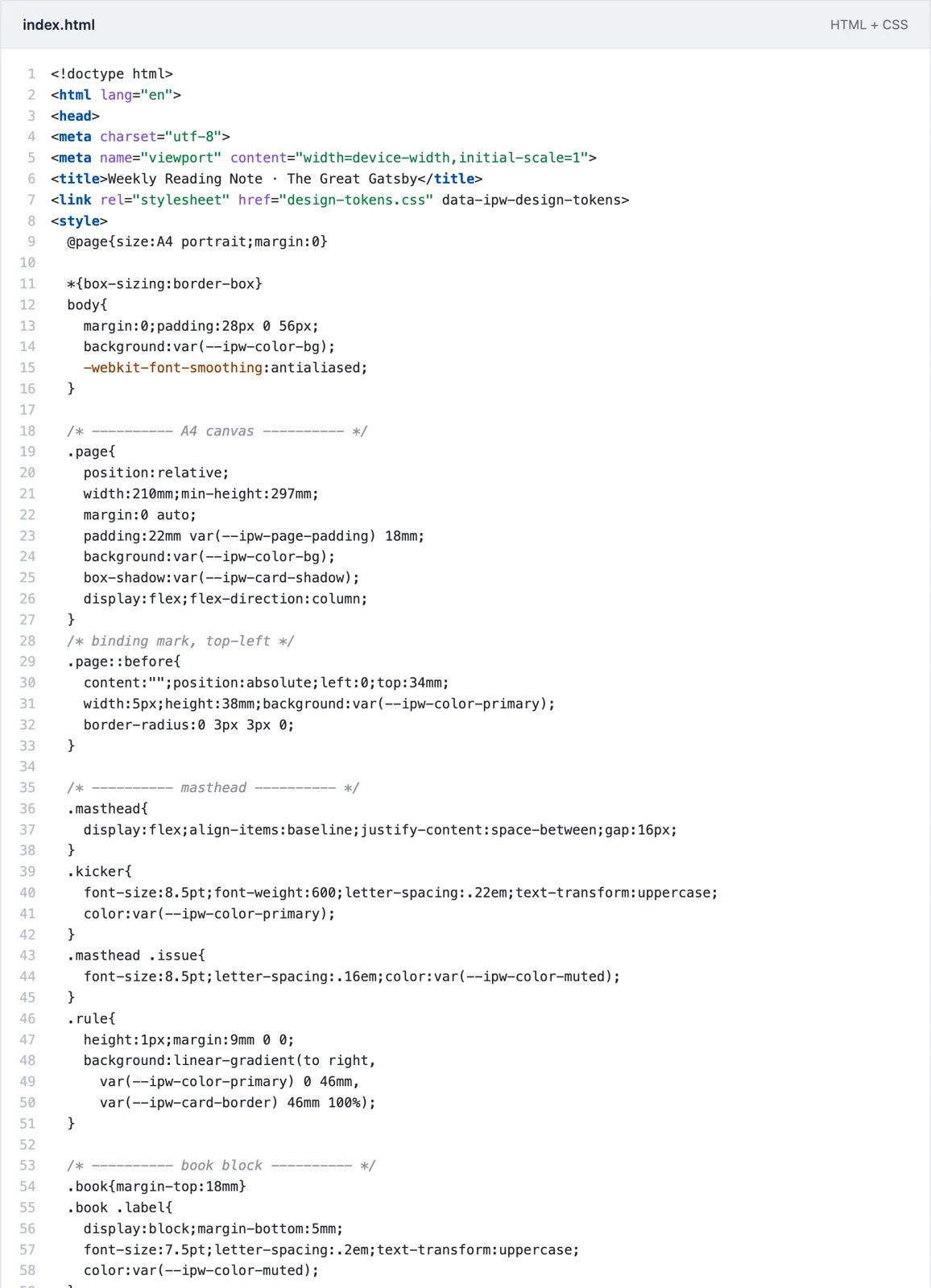
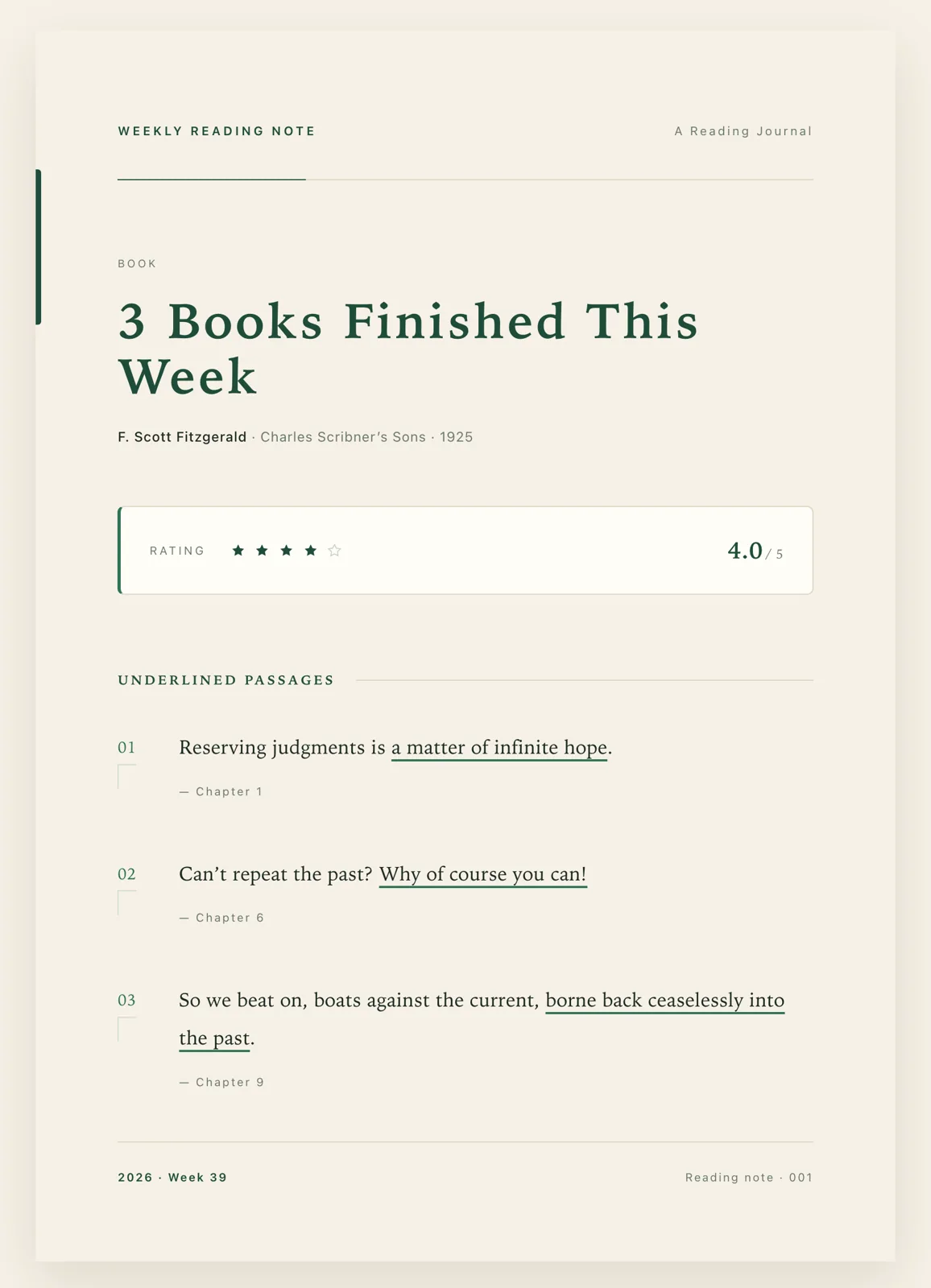
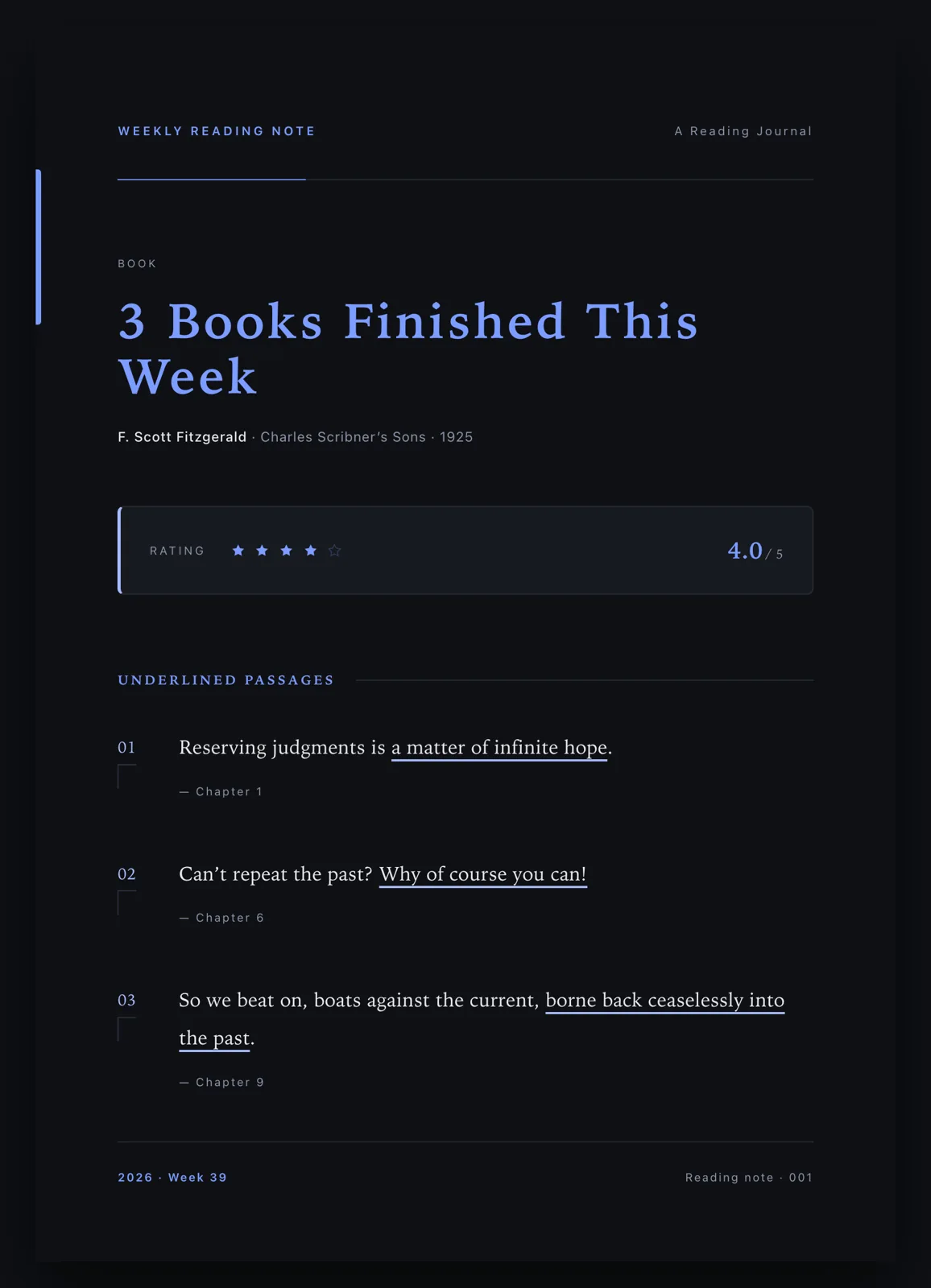
The brief: an A4 portrait “Weekly Reading Note” card — beige background, deep green as the primary colour, carrying the book title, the author, three underlined excerpts and a five-point rating. Restrained and minimal.
The result: one conversation produced the finished design, with a masthead, book block, rating strip, three passages underlined in place and a colophon. The palette holds to two hues, and the PDF export fits a single A4 page.
Changing one selected element — and nothing else
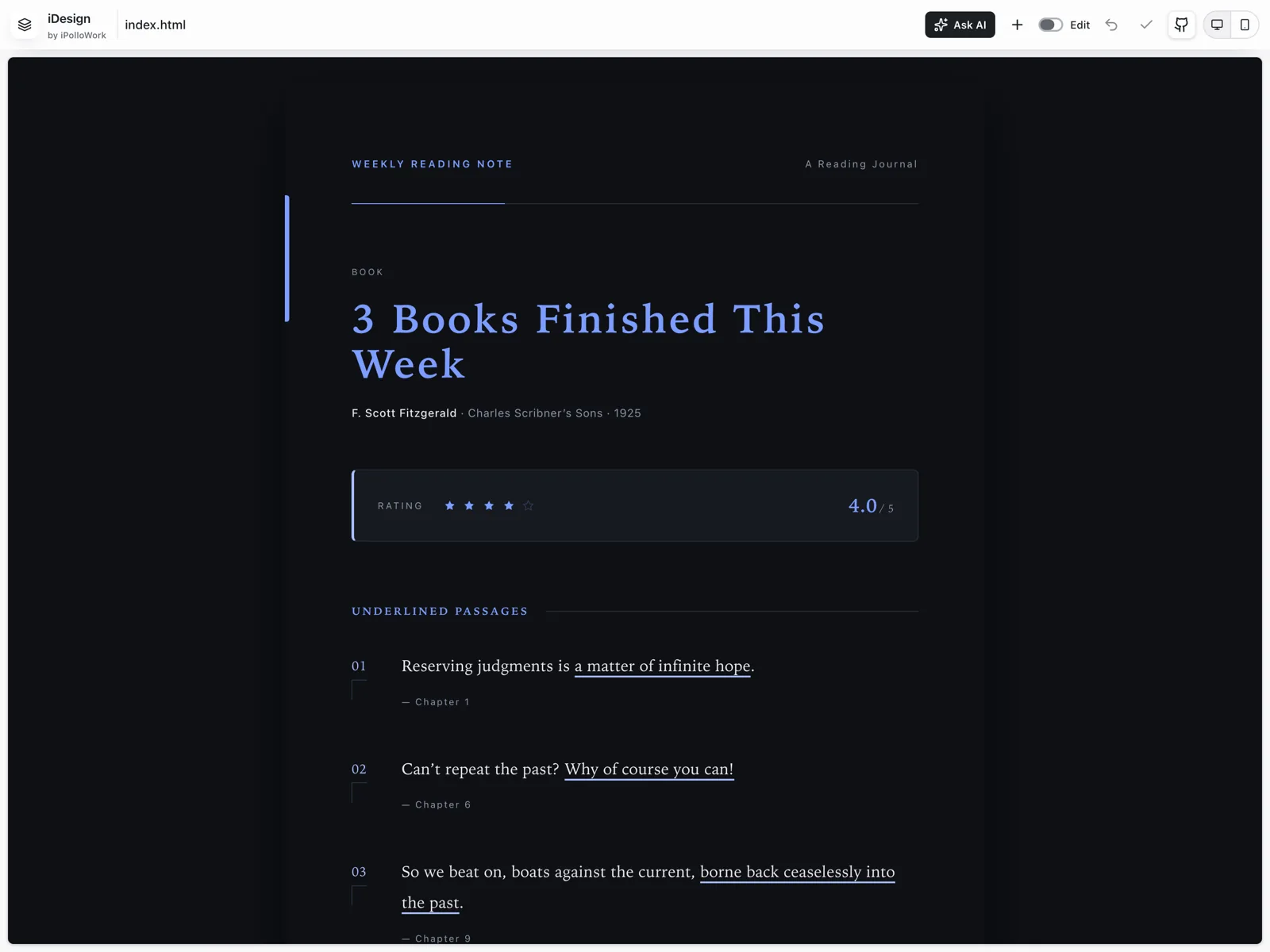
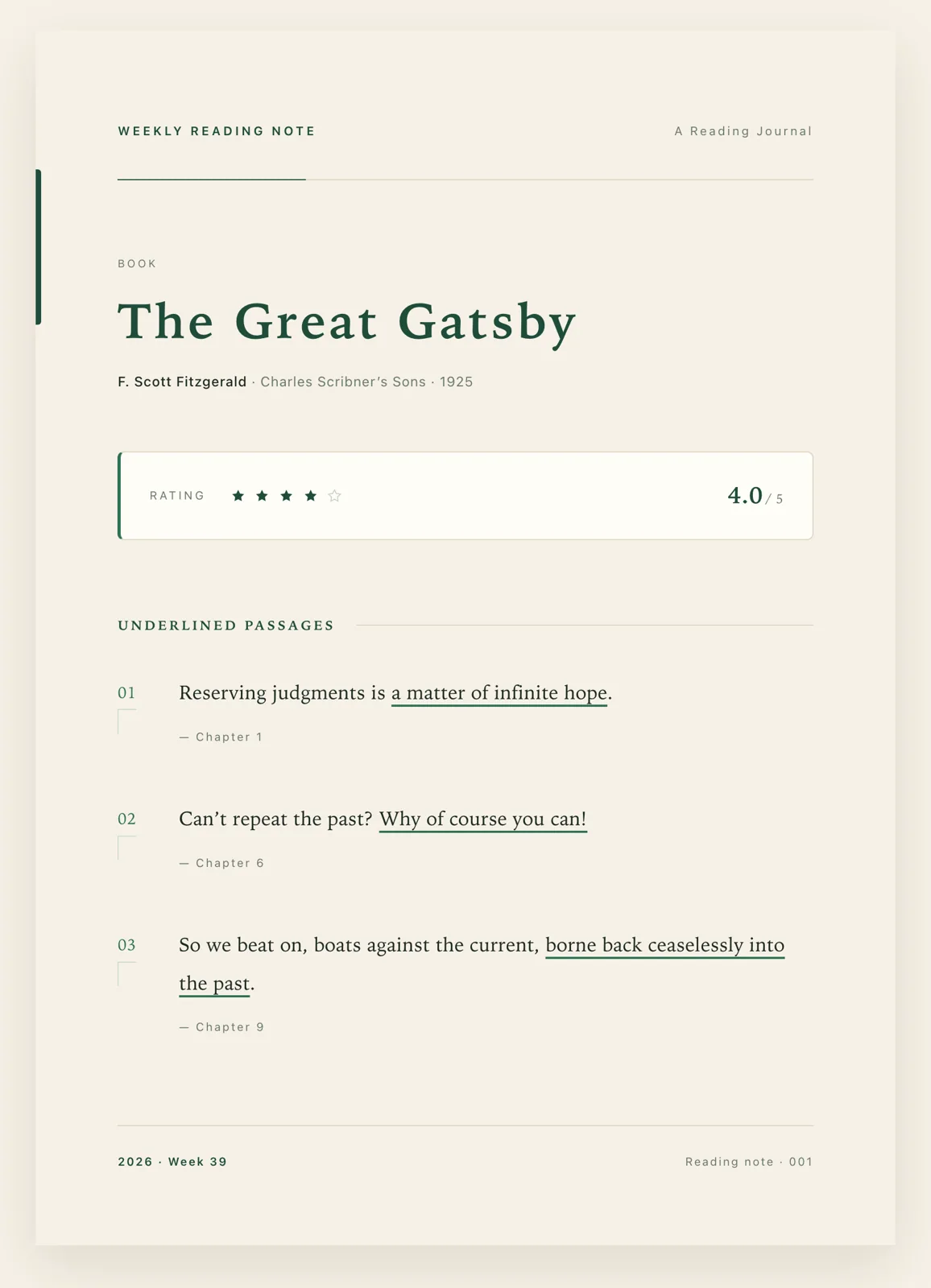
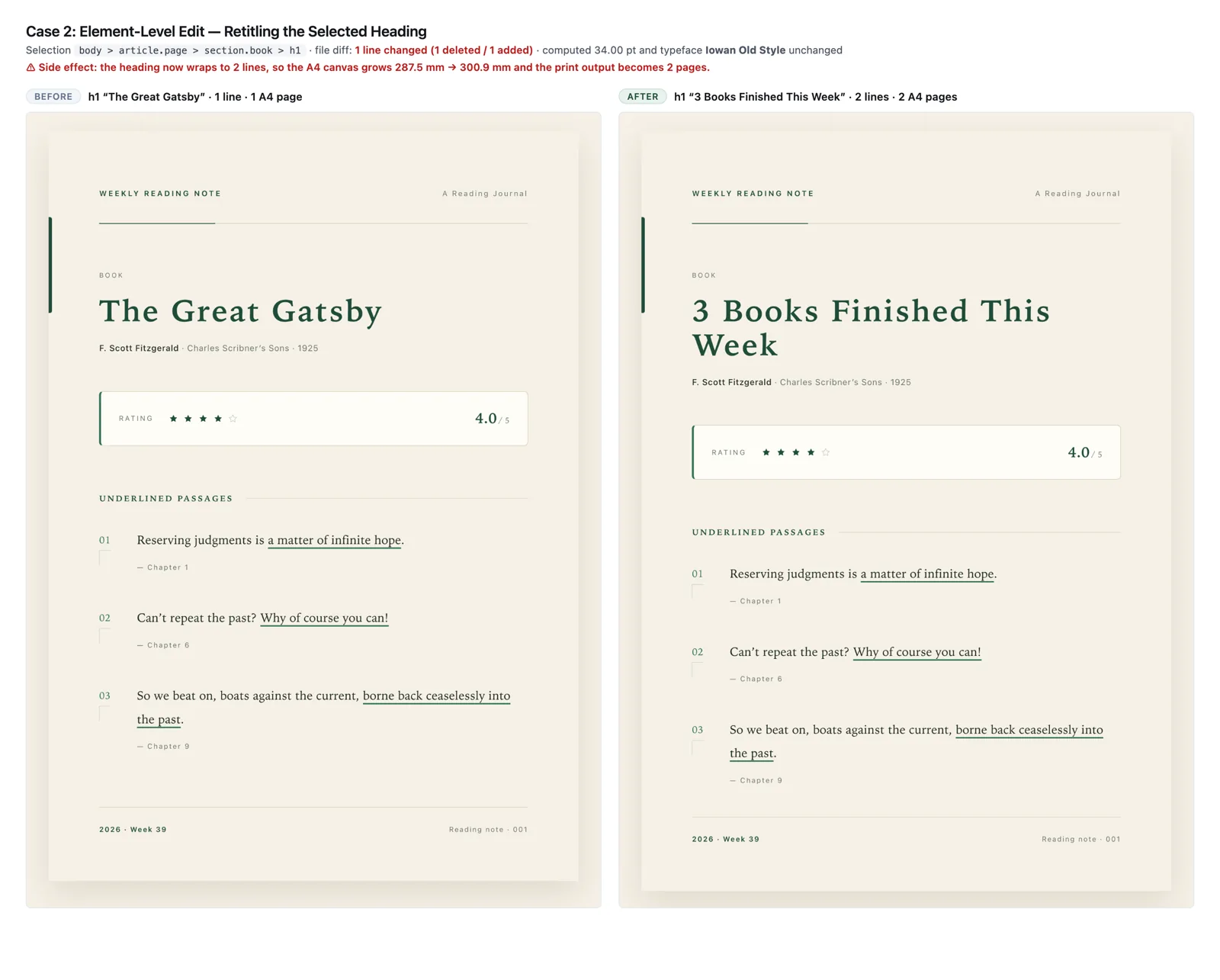
The brief: select the main heading, set it to “3 Books Finished This Week”, keep the font size and typeface exactly as they are, and leave every other element alone.
The result: the change landed on that one element and nowhere else — a single line of a 228-line file. The 34 pt size and the inherited typeface were both preserved. With the longer heading, the title wraps to two lines and the canvas grows taller; that consequence is left visible rather than quietly corrected.
One token file, a whole new theme
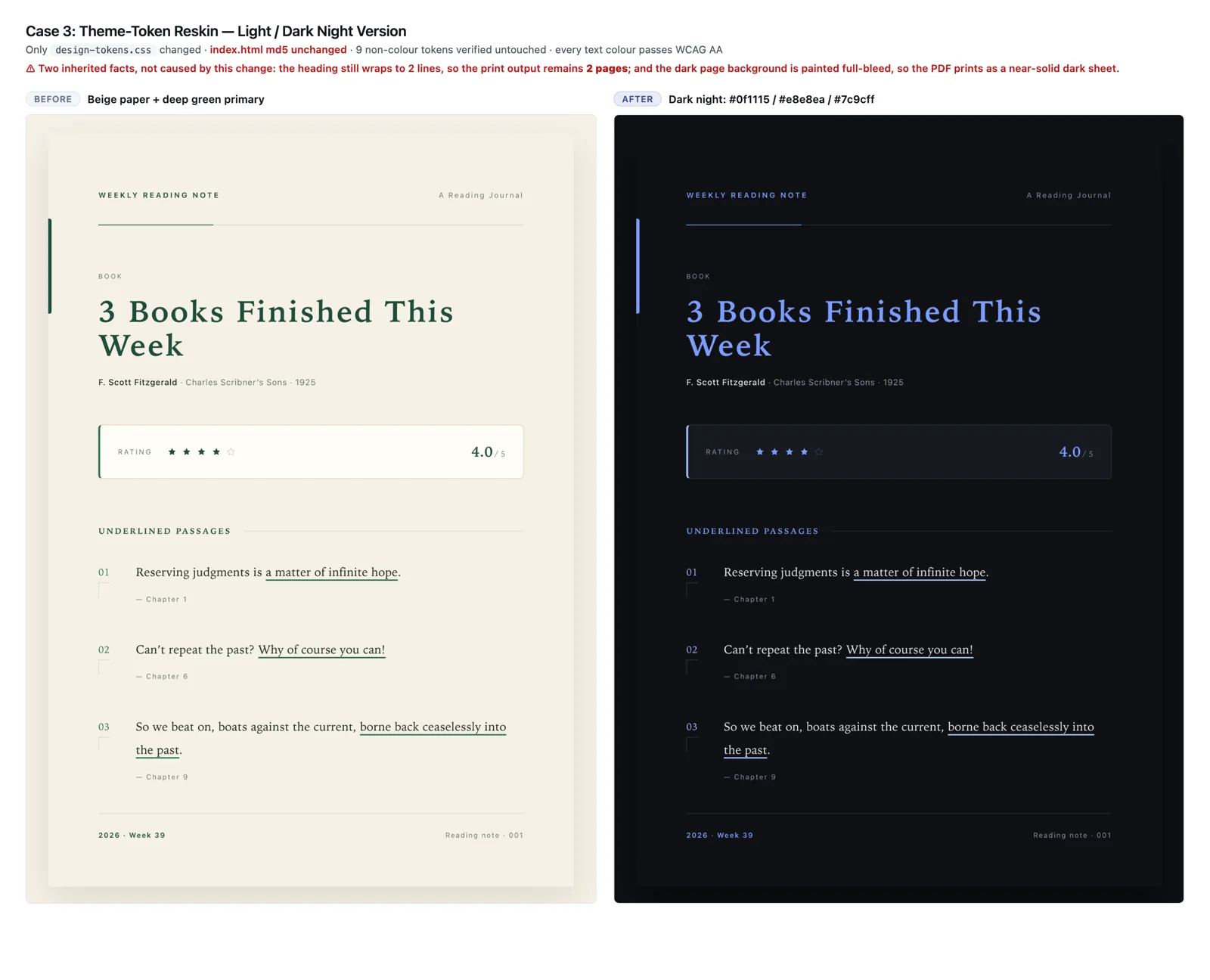
The brief: switch design-tokens.css to a dark night version — background #0f1115, body text #e8e8ea, primary #7c9cff — leaving the page structure and the copy completely untouched.
The result: only the token file changed; the page file needed no edits at all, and the whole page moved from beige-and-green to a dark night palette. Body text measures 15.44:1 contrast and the primary colour 7.25:1, both comfortably above WCAG AA.
EXAMPLE DARK THEME · CONTRAST RATIOS
Body text
15.44:1
Primary
7.25:1
Values reported in the supplied Information document. Bars use a 21:1 full scale.
07
On a narrow viewport
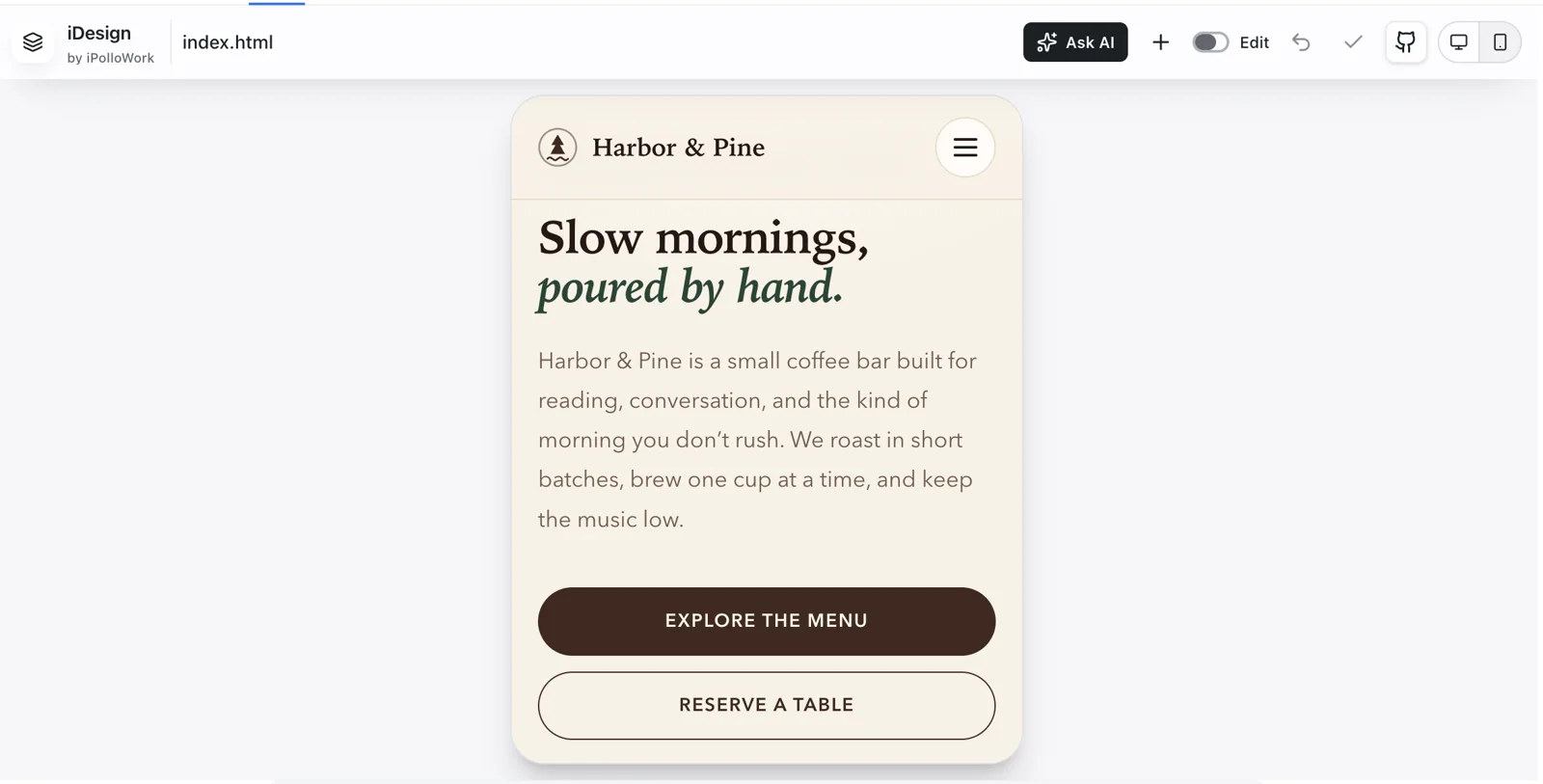
The layout adapts to its viewport: on narrow screens the measure becomes fluid and type and spacing scale down proportionally.
08
Security, Compatibility and Reliability
Data boundary
- The plugin reaches only the design/ folder of workspaces registered with DeepSeek Harness.
- Paths are resolved to their real location, and symbolic links pointing outside the workspace are refused.
- The Studio runs in an iframe behind a per-process random token with same-origin message checks.
Write reliability
- Every write is conflict-checked: if a file changed elsewhere, the save is declined rather than silently overwriting.
- Writes go to a temporary file and are swapped in atomically, so a partial write is never left behind.
- Ask AI only prepares a draft. It never sends a message on your behalf.
Compatibility
- Installs as a DSH plugin and ships its own browser assets. It does not install or launch the iPolloWork desktop app, PPT Studio or Video Studio.
- Output is standard HTML and CSS — it opens in any modern browser and prints to PDF straight from the browser.
- Requires Node.js 22.19.0 or later, or 24.5.0 or later.
09
Who It's For
Product managers: Turn a rough idea into a reviewable, editable interface draft.
Marketing and operations: Produce posters, campaign pages, social cards and long-form graphics without waiting on a designer.
Indie developers: Get the interface built and iterated before writing product code.
Consultants and researchers: Shape findings into clear information cards and data reports.
Content creators: Give articles, newsletters and community posts a consistent visual format.
Front-end and design engineers: Draft interfaces in real HTML and CSS, then keep building from the same files.
10
Get Started
From your project directory:
npx @deepseek-ai/dsh plugin --profile web add deepseek-idesign
npx @deepseek-ai/dsh web
Open a conversation, choose the Design view and you are ready. Project files are kept under design/<sessionId>/ in the active workspace.
If you already have dsh installed:
dsh plugin --profile web add deepseek-idesign
dsh web